Our Location
1250 Beacon Street
Brookline, MA 02446
Struggling with a wrong AC mode set? Learn to correct fan, dry, and heat settings for optimal comfort and efficiency in your home.
Sensibo’s study of over 500,000 air conditioners in the U.S. revealed a surprising fact. Many households don’t adjust their fan settings often. But, doing so can lower cooling costs by 17% and increase comfort.
Sometimes, if your house is too warm or too expensive to cool, it’s because the AC is on the wrong setting. Air conditioners have parts for cooling and for moving air. Using the wrong setting can make the AC fan run by itself, dehumidify without cooling, or even heat your home by mistake.
This article will guide you on identifying and fixing errors in AC mode settings. It covers fan, dry, and heat modes and gives tips for troubleshooting. You’ll find out when you can adjust the settings yourself or when it’s better to call a professional. This way, you can enjoy a comfortable home, save on energy, and keep your AC in good condition.
Knowing how each mode works can stop mistakes when setting the AC. This guide covers fan, dry, and heat settings. It’s key to read this before changing your AC mode to keep from setting it wrong and causing problems.
Fan mode lets the blower work without turning on the compressor. Use AUTO for cooling cycles only. For constant air, pick ON. CIRCULATE gives off-and-on airflow. SCHEDULED can align with your daily plans.
Using fan-only can save on cooling costs. Sensibo found that fans use around 500–700 W, while compressors need 2,000–3,500 W. If using ON, keep filters clean to avoid quick wear from non-stop running.
Fans help move and clean the air but can bring back humidity after cooling. This can cause problems if you want dry air. Should errors keep happening, check your fan setting first.
Dry mode targets moisture without much temperature change. It slows down the compressor and fan, cycling the compressor to pull water from the air and drain it off.
Choose dry mode for humid but not hot days. It makes it feel cooler, saves energy, and helps prevent mold and dust. You’ll also breathe easier indoors.
For dry mode issues, clean filters and make sure it can drain. Set your thermostat close to the room’s temp. Weak dehumidification might need a pro’s eye on refrigerant and sensors to avoid setting it wrong.
Heat mode switches on the heating. Heat pumps do this by changing cycles, and other systems may use extra electric or gas heat. It’s for when you need to warm up indoors or outdoors.
Avoid heat mode in summer to dodge high bills and discomfort. Make sure of your system and thermostat setup before changing. Misadjusting can lead to errors and ongoing issues.
To adjust for seasons, tweak your thermostat and see what the maker suggests. Heat mode suits cold times and defrosting heat pumps. If mistakes in setting continue, it’s time for a pro to check the system’s logic and wiring.
| Mode | Main Function | Typical Power Draw | Best Use |
|---|---|---|---|
| Fan | Circulates air without cooling | 500–700 W | Improve circulation, filtration, low-cost airflow |
| Dry | Dehumidifies with minimal cooling | Lower than full cooling | Humid days when temp is moderate |
| Heat | Provides warmth via heat pump or auxiliary heat | Varies by system, often higher when electric | Cold weather and defrost cycles |
When your home feels off, it might just be a simple AC setting issue. Knowing the signs of wrong AC mode setup can save energy and avoid extra wear. Here are tips to tell if your air conditioning mode needs checking and when to start troubleshooting.
Uncomfortable indoor temperatures
If rooms are warm despite the AC set to cool, it might be in fan mode. This means you feel airflow, but it’s not cold. A wrong switch to dry mode can make areas feel humid and sticky. Setting it to heat by mistake will warm the room, not cool it.
Increased energy bills
A mistake in AC mode can lead to higher utility bills. Leaving the fan on continuously uses more energy. Modern motors are more efficient than older ones. Using heat or dry mode wrongly also makes the compressor work too hard, raising costs. Always check settings before thinking it’s a mechanical issue.
Unusual sounds or odors
Non-stop fan use wears it out faster, causing noise. Off smells or dampness may signal issues with moisture control. Using dry mode with a clogged drain can cause bad odors. Dirty filters also spread bad scents. A fan that runs non-stop might point to a stuck relay or thermostat issue in your troubleshooting.
Choosing the right thermostat setting can quickly solve comfort issues. Consider the season, your home’s layout, and your airflow preferences. Small checks today can prevent big AC troubles later and make fixing them easier.
In summer, select COOL to lower the temperature. On not-so-hot but humid days, choose DRY to remove moisture without cooling too much. Use FAN on mild days to move air around and save energy.
For everyday use, Sensibo recommends AUTO for hot afternoons and ON or CIRCULATE for cooler mornings and nights. This approach lowers AC use while adapting to real-world conditions and minimizing problems.
Large or multi-level homes may have warm air stuck upstairs. Using the fan continuously helps even out the temperature. Open spaces often benefit from AUTO mode for consistent comfort.
More divided homes might need more fan use or zoned control. If you’re worried about allergies or air quality, use the fan more for better air filtering. And remember to check your filters often, especially when changing AC settings.
If you enjoy steady airflow and temperatures, pick ON or CIRCULATE if possible. For humidity issues, especially in coastal or tropical areas, DRY or AUTO is better than always having the fan ON. This avoids bringing moist air back in.
Turning the fan ON 30 minutes before coming home can make it feel more comfortable without running it all the time. Small changes like this can solve AC mode issues and prevent setting mistakes from causing long-term problems.
| Situation | Recommended Mode | Why It Helps |
|---|---|---|
| Hot and dry afternoon | COOL / AUTO | Lowers temperature efficiently and uses compressor cycles smartly to save energy |
| Humid but mild day | DRY | Removes moisture without heavy cooling, improves comfort in coastal areas |
| Morning/evening transitions | FAN ON / CIRCULATE | Pre-circulates air to balance temperatures and reduce startup load |
| Multi-story home | Continuous fan / Zoned control | Prevents stratification and keeps upper and lower floors balanced |
| Allergen concerns | Increased fan time with regular filter checks | Improves filtration, maintain indoor air quality without overcooling |
Before adjusting settings, identify your control device first. Devices like wall thermostats, remotes, and smart apps work differently. Also, knowing the brand (like LG, Samsung, or Daikin) speeds up troubleshooting and reduces stress.
Find the MODE button or icon on your device. Remotes have symbols: a snowflake means Cool, a water droplet for Dry, a fan for Fan, and a sun stands for Heat. Wall thermostats display these icons on a screen. Push MODE to cycle through options until you see the one you want.
On simple digital thermostats, press MODE to find your setting. With smart thermostats, select modes via touchscreen or app. Devices like Sensibo let you set fan modes for comfort and to save energy.
If you have a heat pump, ensure it’s on Heat/Cool mode, not Emergency Heat. This ensures your system matches the season and operates correctly.
If changing modes fails, try basic fixes: restart both the thermostat and the outdoor unit. Change the remote batteries. Check for child locks or service modes. Often, these steps fix the problem.
For wall thermostats, check wires and connections. If the fan works but not in COOL, check the air filter and coils for ice. Don’t just run the fan to hide cooling issues; it could make things worse.
Call a pro for issues like thermostat calibration errors, stuck relays, or possible refrigerant leaks. Licensed HVAC technicians are needed when simple fixes don’t work or if problems persist.
Routine care keeps your air conditioner in top shape. It also limits AC mode problems that make you uncomfortable. Doing small tasks at home reduces surprises. It makes fixing the AC easier when issues occur.
Keeping air filters clear
Running the fan nonstop causes filters to fill up quicker. Sensibo and big brands recommend checking filters monthly. If you keep the fan on always, replace filters every one to two months. Clean filters prevent coil damage, ensure steady airflow, and help with dehumidification. This makes Dry Mode work better.
Checking refrigerant levels
Low refrigerant means cooling is less effective in COOL mode. It also reduces performance in Dry Mode. This issue is often confused with wrong AC mode settings. Only certified HVAC pros should handle refrigerant. They make sure your system doesn’t waste energy and troubleshoot AC modes easily.
Scheduling professional inspections
It’s good to have your AC checked by a pro twice a year. Technicians from trusted U.S. companies do this. They look for issues like worn motors and leaky coils. This prevents small problems from becoming big ones. And it makes fixing the AC mode settings quicker and more dependable.
Maintaining your AC is simple: check filters monthly, monitor refrigerant for cooling issues, and get professional checks yearly. This strategy reduces the risk of AC mode errors. It also gives you a clear plan for troubleshooting when problems pop up.
Weather deeply impacts your thermostat choices. Choosing the wrong setting can lead to discomfort and spike your bills. Learning when to use DRY, COOL, or HEAT settings helps you avoid mistakes. It makes adjusting the AC mode smoother.
High humidity and the need for dry mode
In places like the Southeast, Gulf Coast, and some coastal areas, humidity often jumps quicker than the heat. DRY mode helps lower the indoor moisture without making it too cold. This mode works by slowing down the compressor and fan. This action makes the moisture stick to the coils.
Using DRY mode saves more energy than keeping it on COOL all the time during humid mornings and wet afternoons. If the air feels sticky despite a cool setting, you might be using the wrong mode. Switch to DRY mode and see if it feels better.
Cold weather and heating requirements
When it gets cold, turn on HEAT or your heat pump’s heating cycle. Make sure your thermostat is set right for heat pump mode or emergency heat. This prevents setting the wrong mode in winter. Accidentally running COOL can freeze the coils and harm the system.
Change your fan setup with the seasons to help distribute warm air evenly. Adjusting things like vent positioning and when the fan runs can make a big difference. Small changes can prevent small issues from turning into big repairs.
Understanding local climate impacts
The weather where you live will tell you which AC modes to use. In humid southern states, using AUTO or DRY mode helps keep the air comfortable without extra cooling. In drier places like the Southwest, it’s okay to run the fan on COOL more often. Changing weather requires switching between COOL, DRY, and HEAT throughout the year.
If you keep facing issues with setting the AC mode, take a closer look at your settings. Think about using automatic controls for easier adjustments. This can help solve AC mode problems faster.
| Climate Region | Recommended Modes | Why It Helps |
|---|---|---|
| Southeast & Gulf Coast | AUTO, DRY | Controls humidity, prevents overcooling, saves energy during muggy periods |
| Southwest & Desert | COOL, Fan ON | Low humidity, fan circulation improves comfort without extra cooling |
| Variable/Temperate | Seasonal switch: COOL, DRY, HEAT | Matches changing conditions; reduces wear and saves energy |
| Cold Northern Areas | HEAT, Heat Pump Mode | Prevents freezing, maintains indoor warmth, avoid running COOL |
Small tweaks can make your AC use less energy and keep your home comfy. Set up schedules, use sensors, and smart gadgets to reduce how long it runs. This won’t make your home less cozy. Here are some steps to adjust AC settings and stop common mistakes.
Using programmable thermostats
For daytime or when you’re away, use higher temps to ease the compressor’s work. In summer, set it near 85°F when out, and lower it 30 minutes before getting home. For long times away, choose AUTO fan mode, then switch to CIRCULATE or FAN ON before coming back. This blends the air and cuts down peak loads. Doing this makes AC adjustment simpler and helps avoid needing to fix settings.
Setting up automatic mode switches
Use AUTO mode to let the thermostat decide on heating or cooling. Add humidity control if you can. Set it to DRY mode when humidity goes above your comfy zone. This automation lessens mistakes and keeps you from making wrong manual adjustments.
Utilizing smart home technology
Gadgets from Sensibo, Nest, and Ecobee let you change settings from afar. They also adjust settings as you get close to home. Use their automatic cycles, check energy reports, and set maintenance alerts. These tools help you fix settings faster and make troubleshooting easier.
| Feature | Benefit | Quick Setup Tip |
|---|---|---|
| Programmable schedules | Reduces compressor runtime, keeps comfort predictable | Create weekday and weekend profiles; pre-cool 30 minutes before return |
| Auto mode switching | Prevents incorrect manual mode selection | Enable AUTO for temp-based swaps; add humidity thresholds for DRY mode |
| Smart controller alerts | Detects mismatches and mode errors early | Turn on device alerts and connect HVAC maintenance reminders |
| Fan circulation scheduling | Pre-mixes air, lowers peak demand | Schedule FAN ON or CIRCULATE 30 minutes before occupied periods |
| Geofencing | Automates mode changes based on presence | Set arrival and departure rules tied to your phone |
Choosing the wrong AC setting can make you uncomfortable. Fixing a mistake early can save energy and reduce wear. Here are tips to keep your AC running smoothly and to avoid typical issues.
Always read the manual for brands like LG, Samsung, Daikin, and Carrier before switching modes. The manual details things like Dry mode, fan speeds, and special settings. Not following these can lead to setting the wrong mode without realizing it.
Make sure your thermostat is right for your system type. Heat pumps and split systems need different setups. Using the wrong setting can cause heating when you want cooling. This confusion can lead to ongoing problems that are tough to fix.
Regularly check filters and keep an eye on your energy use. Continuous use without checks can block filters and overwork parts. Catching these issues early prevents bigger problems later.
| Common Mistake | What to Check | Quick Fix |
|---|---|---|
| Ignoring model instructions | Manuals for LG, Samsung, Daikin, Carrier; remote/thermostat notes | Follow recommended fan and Dry mode steps; reset child-lock if active |
| Incompatible thermostat | System type (heat pump vs. cooling-only); wiring labels | Reconfigure thermostat type or replace with compatible model |
| Lack of routine monitoring | Filters, odd noises, humidity spikes, energy consumption | Monthly inspections, replace filters, schedule service when needed |
If your thermostat doesn’t seem right and the system isn’t responding correctly, it’s time to get help. Problems like a compressor not starting or suspected leaks are serious. They’re often disguised by still-running fans, making you think it’s a simple mode issue.
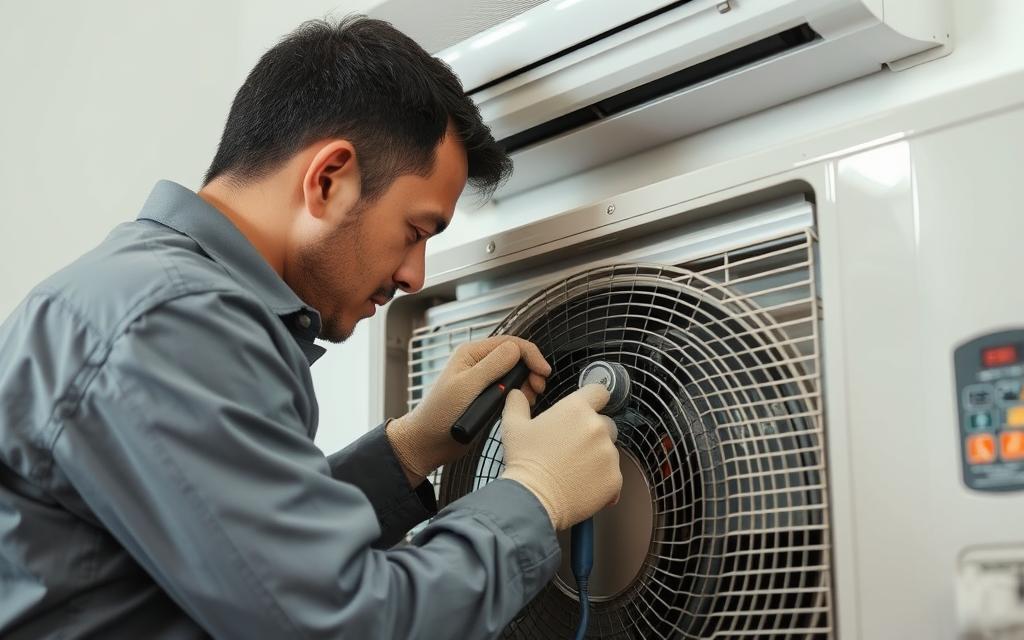
Bad smells, strange noises, or sudden pressure changes mean there’s a big problem. If your AC stops and starts too much, or if temperatures jump around, don’t try to fix it yourself. Special tools are needed to find out what’s really wrong, and that’s a job for experts.
AC systems have parts that work with dangerous amounts of electricity. Trying to fix them on your own can be very risky. Professionals know how to safely check and repair these parts. It’s smarter to let them handle anything to do with electricity.
Look for technicians who have proper certification, like NATE. Also, make sure they’re approved to work with refrigerants by checking their EPA certification. Always ask for a detailed price quote, check their credentials, and read reviews from other customers. Getting a service plan with a trusted local company helps prevent issues and keeps your AC working right.
This FAQ helps fix common AC mode issues. It prevents wrong settings that increase bills or reduce comfort. Here, find simple answers about energy use, summer operation, and fixing mode issues.
Fan mode uses about 500–700 W in standard systems. AUTO saves energy by running the fan only when needed with the compressor. CIRCULATE mode runs the fan sometimes, saving cost while keeping comfort. COOL mode in a 3-ton system can use 2,000–3,500 W when the compressor is on. DRY mode helps remove moisture with less energy than cooling. New ECM motors use 60–80% less energy for the fan compared to old PSC motors. This is key for efficient AC mode settings.
Don’t use heat mode in warm months; it’s wasteful. Save heat mode for cold times. Those with heat pumps should double-check settings to avoid mistakenly using heat. Use COOL, DRY, or FAN to stay cool on hot days without making AC setting mistakes.
Start simple: check remote or thermostat batteries and ensure the thermostat isn’t locked. Then, try turning the unit off and on again. Look at thermostat wiring and replace any dirty filters. If COOL or DRY modes don’t work, or the outside unit freezes, don’t just use fan mode. Problems that keep happening suggest it’s time to call an HVAC pro for help or to change the thermostat when fixing AC mode settings.