Our Location
1250 Beacon Street
Brookline, MA 02446
Experience a smoother, quieter home with our expert tips for fixing ceiling fan wobbling. Learn blade balancing and mounting remedies now.
It might surprise you, but one in three homeowners deal with a wobbly ceiling fan. This small issue can lead to noise and faster wear. This guide gives you easy fixes using simple tools or a balancing kit.
This article will show you how to stop the wobble. You’ll learn to clean the blades and motor, tighten everything, measure blade heights, and check if blades are bent. It also explains how to use a balancing kit, which includes a clip and weights, and how to check the fan’s bracket and electrical box.
Remember, safety comes first. Always turn off the fan and let it stop before you start. Use a ladder or step stool for height. Also, keep items at least 30 inches away from the blades when testing. Keep these safety tips in mind when working on your fan.
If your fan still wobbles after you check balance and mounting, it might be time to replace it or get professional help. A stable fan runs quietly, lasts longer, wears down less, and stays safe.
A wobbling ceiling fan can be annoying in a quiet room. Before fixing it, it’s wise to know what usually causes the wobble and noise. Knowing this makes fixing the problem quicker and safer.
Often, loose screws and hardware are to blame. Things like mounting plate bolts, downrod set screws, and blade screws may get loose from vibration. This leads to a consistent shake.
Dust and debris on the blades or inside the motor can unbalance the fan, making more noise. Dirt reaching the bearings may also cause a grinding noise as time goes on.
Warped or damaged blades affect how the fan spins. Changes in humidity and temperature can bend blades, and simply balancing them won’t help.
Bent blade holders or arms cause the fan to spin oddly. An immediate imbalance can happen if a blade drops or a bracket gets crushed. This problem gets worse as the fan speeds up.
Wrong installation, like using a box not made for fans or skipping ceiling braces, can make the entire unit shaky. The fan may seem stable but the mounting could fail.
Bent motor shafts and worn bearings lead to constant wobbling and strange noises. These issues need a close look and might need new parts.
Balancing your fan protects its inner workings. An off-balance fan puts too much pressure on parts, causing noises and reducing its lifespan.
A well-balanced fan is quieter and enhances home comfort. It signals quality and keeps the room peaceful.
When blades are balanced, they move air more effectively. This puts less stress on the motor, reducing wear and ensuring a steady breeze.
Installing the fan securely also lowers safety risks. If it’s loose or not attached properly, it could become dangerous over time.
| Cause | Typical Symptoms | Quick Fix |
|---|---|---|
| Loose screws and hardware | Visible wobble at low speed, rattling | Tighten screws; recheck after running fan |
| Dust and debris | Uneven weight on blades, faint grinding | Clean blades and motor vents; lubricate if recommended |
| Warped or damaged blades | Persistent wobble after balancing | Replace blades with matching set |
| Bent blade holders/arms | Sudden imbalance, visible misalignment | Straighten or replace bracket; inspect mounting |
| Improper installation | Whole fixture moves; wobble at all speeds | Install fan-rated box or add brace |
| Bent shaft / worn bearings | Persistent wobble and metallic noise | Professional repair or motor replacement |
A fan showing signs of wear gives clear signals. Look for movement and listen for strange sounds. Act quickly to fix problems. Early action helps avoid big repairs and keeps your fan running longer.
See if the fan moves side-to-side on medium or high. If it wobbles, you’ll notice from below. For a closer look, watch the blades at eye level.
Compare blade heights against a door or window. Uneven blades or those that tilt mean imbalance or loose parts. To be sure, measure how high each blade is from the ceiling.
Examine the canopy and bracket. A gap or a wiggly canopy suggests issues with the mount. Loose screws can also cause the fan to shift.
Listen for buzzing, whining, squeaking, or grinding from the motor or blades. These sounds often signal loose screws or worn parts.
A rattling noise might be due to a shaky light kit or bracket. If it keeps squeaking after a clean and tighten, it might be worn out.
Turn the fan on high and listen closely for any wobbling sounds. Identify where they come from. Use masking tape to label the blades if you plan to test them one by one.
Start by carefully checking things before you grab any tools. Turn off the power and wait for the fan to stop. Climb a sturdy ladder so you’re at eye level with the blade tips. A simple look and a tape measure test can show most issues. They help figure out what to do next about a wobbling ceiling fan.
First, make sure the fan is off and blades aren’t moving. Gently move the motor and canopy to check if anything’s loose. Also, check the electrical box to see if it’s meant for fans and look for securing bolts.
Using a tape measure, compare the distance from the ceiling to each blade tip. Differences suggest the blades are misaligned or screws are loose. Look at each blade from the side to spot any warping. Blades that are bent may need to be replaced.
Label each fan blade with masking tape to keep track of them. Without a balance kit, you can use tape and small weights like coins. Place a weight on the middle of a blade’s edge to see if the wobble lessens when running the fan.
With a plastic clip, try it on different blades to find the best balance. Adjust the clip’s position until the wobble decreases. Then, replace the clip with a permanent weight at the perfect spot on the blade.
These steps will help you start fixing a wobbly ceiling fan at home. Based on what you find, you might fix it yourself or need more help.
A steady fan offers a smooth, steady breeze. Before fixing a fan’s wobble, do a simple safety check. Clean parts that gather dust. Also, make sure everything is tight to make balancing easier.
Get a ladder or a strong stool, and a set of screwdrivers. You’ll also need a tape measure. Have a microfiber cloth and a duster handy. And don’t forget cotton swabs for small spaces. Use masking tape and a marker to label fan blades. A fan balancing kit, with a plastic clip and weights, is also needed.
First, safety is key. Turn off the fan and make sure it stops spinning. Ensure you have about 30 inches of space to work around it.
Start by cleaning the fan blades and motor housing. This removes dust that could cause imbalance. Make sure everything’s dry so the weights stick. Then, tighten any loose screws on different parts of the fan.
Use a tape measure to check the distance from the ceiling to the tip of each blade. Look for any warping or damage on the blades. Replace any that are not in good shape.
Now, take the balancing kit’s plastic clip. Attach it to one blade, about halfway along. Turn the fan to high speed. Observe the fan’s wobble. Test each blade by moving the clip to each one, one after the other. This helps find which blade is out of balance.
When you identify the problem blade, move the clip along its edge to reduce wobble. Once the wobble lessens, stop the fan. Swap the clip for a weight where the clip was best placed.
If the fan still wobbles, try adding another weight or adjust the first one. After attaching, run the fan on high to check for improvements. If it still wobbles, double-check the fan’s mounting and blade condition. You may need to go through these steps again or check how the fan is mounted.
Start by doing a quick ceiling fan mounting check before anything else. A stable mount can solve many issues and prevent wobble. This brief guide will show you which parts to look at and how to fix them safely.
First, turn off the power at the breaker. Then take off the canopy cover to see the mounting bracket and hanger ball assembly. Look for any screws that are loose on the bracket, downrod, or canopy. Tighten them with the right tool.
Make sure the hanger ball is properly seated in its slot. The downrod set screw should also be tight. Try to wiggle the bracket from below to check for any movement. If it moves, tighten the hex bolts connecting the bracket to the brace.
The fan should be linked to an electrical box that’s designed for fans. It should be fixed to a brace or a 2×4 cross-beam. Boxes not meant for fans might not hold its weight and could cause the fan to wobble.
Ensure the canopy fits tightly against the ceiling and everything aligns correctly. Any gap means something might be installed wrong. Also, check if the downrod is bent or not in the right spot. Any issues here can lead to constant wobble, so replace or adjust as needed.
If the electrical box isn’t marked for fans, or the fixings look weak, it’s time to strengthen them. You could add a box made for fans or an adjustable brace, or call an expert electrician for help. These steps are key for fixing any wobble problems.
| Issue Detected | Quick Check | Repair Action |
|---|---|---|
| Loose canopy or visible gap | Try to move canopy by hand | Tighten canopy screws; reseat canopy snugly |
| Bracket wiggles | Wiggle bracket from below | Tighten hex bolts into brace; use lock washers |
| Non fan-rated box | Read label on box or inspect mounting | Install fan-rated box or adjustable brace; call electrician |
| Bent or misaligned downrod | Check straightness and seating of downrod | Replace downrod or realign hanger ball |
| Hanger ball not seated | Inspect hanger ball groove | Re-seat ball and tighten set screw |
If your ceiling fan still shakes after trying simple fixes, it’s time for expert advice. Things like making sure the blades are balanced or screws are tight can solve some issues. But if the fan vibrates a lot, makes odd sounds, or seems loosely attached, there might be a bigger problem.
Watch if your fan keeps shaking after you clean, tighten, and balance it. Should it wobble with the power on and make noise or shake a lot, it’s time to stop trying to fix it yourself.
Look out for signs of structure issues. An electrical box not suited for fans, a shaky brace, or visible wires are bad signs. Also, a bending motor shaft or a motor that slows down means there’s a serious problem.
Look out for electrical hazards too. If breakers trip, you smell burning, or the fan doesn’t seem secure, call for help. Your safety is the most important thing when deciding to call an electrician for your ceiling fan.
Find electricians who are licensed, know about ceiling fans, and have good reviews on Angi, Yelp, or Google. Make sure they know about using the right boxes for fans, adjustable braces, and how to diagnose motor issues.
Ask for proof of insurance and a detailed estimate that shows labor and parts costs. If your fan is still under warranty, first reach out to the maker—Hunter, Westinghouse, Emerson, or Minka-Aire. See if they offer authorized service or parts before you decide to replace it.
When you hire someone, talk about fixing the fan’s wobble. Ask if their service includes checking for wobbles and electrical safety afterwards. This can help make sure the repair works well and keeps your fan from shaking in the future.
To keep a ceiling fan running well, do a few regular tasks. These steps stop wobble, reduce noise, and make your fan last longer. Follow these simple tips and checklists for easy care.
Regular cleaning practices
Before cleaning, turn off the fan and wait for it to stop. Start by dusting the top and bottom of each blade. Then, clean with a damp cloth and warm water. Use a cotton swab for tight spots.
After cleaning, dry everything well. Moisture can damage blades and fasteners, making balance hard to maintain. Clean regularly, every three months or more in dusty areas.
Seasonal maintenance checklists
Every few months, check and tighten screws on various parts. Clean the blades and motor housing. Also, check the alignment of blades to prevent wobble.
Before summer and winter, adjust blade pitch and direction. In summer, set for counterclockwise rotation, and clockwise in winter for better air flow. This helps reduce noise from wobble.
Once a year, check the mounting, brace, and downrod. Test the fan’s speeds and listen for unusual sounds. Replace any blades showing signs of wear or warping if they’re over ten years old.
Keep extra parts like screws and balancing weights handy. These can help you quickly fix and balance your fan, avoiding bigger problems.
| Task | Frequency | Why It Matters |
|---|---|---|
| Dust and wipe blades | Every 3 months | Prevents uneven dust build-up that can cause wobble and ceiling fan wobbling noise |
| Tighten screws and brackets | Quarterly | Keeps blades secure and helps balance ceiling fan wobble |
| Check spin direction and blade pitch | Pre-season (spring/fall) | Optimizes airflow and reduces noise for the season |
| Inspect mounting box and downrod | Annually | Detects wear that can cause vibration and safety issues |
| Stock basic parts | As needed | Allows fast fixes to stop wobble using small weights or spare screws |
When picking a fan, think about your comfort and how it will work over time. You should check the fan’s size, how it mounts, what the blades are made of, the motor’s quality, and if it’s easy to fix. This helps avoid problems like a wobbling fan or bad airflow.
The fan’s size should match your room’s size. This makes the air move better and doesn’t overwork the motor. Make sure there’s enough space between the blades and the ceiling, usually 8–10 inches, for best performance.
Choose the right way to mount your fan based on your ceiling’s height. Flat mounts for low ceilings, downrods for high ones, and angled mounts for sloped ceilings. Make sure your fan will fit in the electrical box in your ceiling and that it’s supported well to avoid wobbling and safety risks.
Blades should be balanced in size, shape, and weight. Pick blades made for indoors for your living spaces and outdoor ones for porches. This helps them stand up to changes in humidity and temperature, which can make a fan wobble.
Good motors last longer and work better. Look for motors that are efficient and make less noise. Always check the warranty and if you can get replacement parts easily. This way, you can fix your fan if it’s not balanced right.
Hunter is great for balance kits and helping with replacement blades. Emerson is known for long-lasting motors and easy-to-find parts. Minka-Aire and Casablanca offer fancy options with smooth performance. Westinghouse has affordable fans that people like.
When picking a model, make sure you can get specific parts and a balance kit from the maker or stores like The Home Depot. This avoids trouble with a wobbly fan and keeps it running smoothly.
Upgrading a ceiling fan can make a room feel new and fix wobble issues. Aim for improvements in noise, balance, and energy use. A well-thought-out upgrade saves you from returns and extra work.
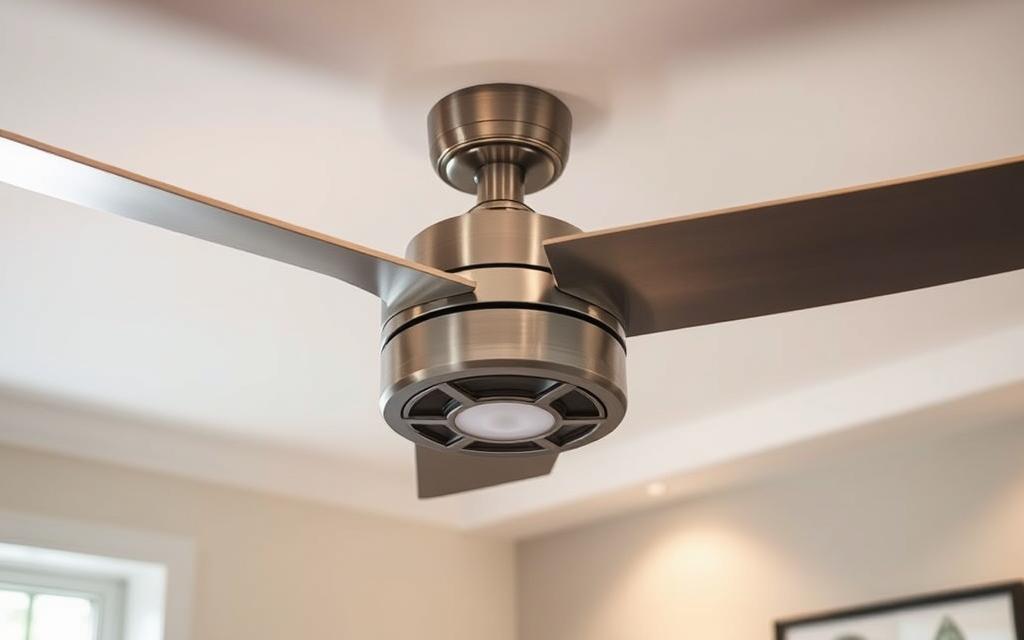
Search for ceiling fan features that offer stability and comfort. A DC motor makes less noise and is more energy-efficient. Pick a fan with a sturdy downrod and enhanced mounting to reduce shaking. If you use an old mounting box, check if it fits before starting.
Look for variable speed remotes and reversible motors for better control and value all year. Fans with integrated dimmable LED lights save space and energy. Adjustable blade pitch allows for airflow control. Some models have balanced blade arms and high-quality bearings for less wobble.
Some fans work with smart home systems and apps. Features like remote fixes, software updates, and smart schedules make your fan last longer. You can also control many fans with voice commands through Amazon Alexa or Google Assistant.
Smart ceiling fans let you set schedules to reduce runtime and wear. You can change motor direction in winter or slow down at night. This makes your fan more efficient and helps it last longer.
Remote checks can spot problems early. This prevents sudden breakdowns and might save you from needing a wobble kit later.
| Upgrade Element | What it Fixes | Why It Matters |
|---|---|---|
| DC Motor | Reduces noise and motor-induced wobble | Lower energy use, smoother rotation, longer lifespan |
| High-Quality Mounting Hardware | Minimizes vibration at the ceiling | Better balance and safer installation |
| Variable Speed Remote / Smart Control | Fine-tunes airflow and schedules | Convenience, energy savings, remote diagnostics |
| Integrated LED Light Kit | Replaces separate fixtures and lowers heat | Streamlined look and improved efficiency |
| Adjustable Blade Pitch | Optimizes airflow for room size | Better circulation without higher RPM |
| ceiling fan wobble kit (accessory) | Tunes blade balance for minor shakes | Cost-effective fix before full replacement |
Match new ceiling fan parts with your current electrical box or get a fan-rated brace. If the box is old and not fan-ready, have a licensed electrician do the swap safely.
Smart fans show how useful modern ceiling fans can be: they offer convenience, efficiency, and advanced diagnostics. To enjoy a steady, quiet breeze, use top-notch modern features and mount your fan well. Also, occasionally use a wobble kit if needed.
Homeowners often have quick questions about wobble issues. This FAQ offers practical answers and easy checks to try first. It helps you figure out ceiling fan wobble problems and when it’s time to call for help.
Begin with the basics. Clean the fan blades, tighten all screws, and make sure the blades aren’t bent. Use a balancing kit as the manufacturer instructs: start with the clip, then add weights.
Check if each blade is the same distance from the ceiling. Look for bends or looseness in the mounting bracket and downrod. If the wobble continues, it might mean a bigger problem like a bent motor shaft, worn bearings, or a weak mounting box.
If your fan is over ten years old or showing signs of wear, think about getting a new one. Reach out to Hunter, Emerson, or Westinghouse for parts or help with your warranty before deciding to buy a new fan.
Yes, wobbling can really hurt your fan. It speeds up the wear on motor bearings and bushings inside. This can make your fan noisy, less efficient, and could even lead to the motor breaking down early.
A fan that isn’t mounted securely could also harm your ceiling or its electrical box, raising safety concerns. Taking care of wobble problems early on can keep your fan running smoothly, save you from high repair costs, and make sure it lasts longer.
| Problem | Quick Check | When to Call a Pro |
|---|---|---|
| Loose blades | Retighten blade screws, use balancing clip | If repeated retightening fails to stop wobble |
| Warped or damaged blades | Swap blades or rotate positions to test | If blades remain uneven after replacement |
| Bent downrod or shaft | Inspect visually, test wobble with canopy removed | If shaft shows visible bend or motor misalignment |
| Bad bearings or motor wear | Listen for grinding, oil only if manufacturer allows | If noise or wobble continues after balancing and mounting checks |
| Improper mounting | Confirm fan-rated box and tight bracket bolts | If ceiling box or joist mounting looks compromised |
Begin by turning off the fan, cleaning its blades, and tightening all screws. Check if the blades are the same distance from the ceiling. Also, look for any bent or warped parts. These steps can often fix a wobbly fan without needing tools or spending money.
To make more precise adjustments, get a ceiling fan wobble kit. It has a plastic clip and weights to fix the balance issue. Find the blade causing the problem, and attach the weight. Move it bit by bit until the fan stops wobbling, then secure everything in place. Having a kit ready means you can fix wobbles fast and easily in the future.
Don’t overlook the fan’s mount. Make sure the electrical box is right for a fan, tighten all connections, and ensure everything is properly attached. If the fan still wobbles after checking everything, you might need to call a pro. This is especially true if the motor seems to be giving out.
Doing regular clean-ups and check-ups helps prevent fan problems. It also saves energy and keeps your fan running longer. To avoid wobbles, here are some tips: keep a quick checklist, have a balancing kit close by, and do basic checks every few months. This way, your fan will work quietly and efficiently, making your home safer and more comfortable.