Our Location
1250 Beacon Street
Brookline, MA 02446
Having issues with your fan speed control not working? Learn how to troubleshoot capacitor and switch issues to restore proper functionality.
About 25% of homeowners deal with a ceiling fan that won’t change speeds. This can increase your energy bills and decrease your comfort. This guide helps U.S. homeowners and DIY enthusiasts fix this issue safely and effectively.
First, check if your fan’s wall switch is on. For fans with switches, make sure the pull chains or remotes are activated. Also, look at your home’s circuit breaker or fuse, resetting the breaker if necessary. Often, these steps fix the fan without needing to open it up.
Always turn off power at the breaker before you open a fan. If you’re not sure what to do, it’s best to ask a certified professional. Companies like Hunter Fan suggest getting expert help if you’re unsure. If you feel ready, read on for steps to troubleshoot fan speed issues, focusing on capacitors and switches.
This article will guide you through identifying problems, checking the fan’s power and switch, and testing capacitors. You’ll learn how to evaluate and replace switches, what tools are needed, and how to prevent future issues. We’ll also discuss when it’s wise to call in a professional. Additional sections will explain fixing fan speed control in HVAC systems and adjusting HVAC fan settings.
Fan speed control systems manage how fast motors spin in ceiling fans or HVAC systems. They can be as simple as pull-chains or as complex as smart controllers. These systems help keep rooms at the right temperature, save energy, and prevent the motor from getting too hot.
Homes and businesses use different kinds of fan controllers. Mechanical switches have various speeds and easy wiring. Rotary dials offer a sleek look and are common in many homes. Electronic controllers use capacitors for precise speed settings, seen in brands like Hunter and Emerson.
Solid-state controls provide smooth speed changes. Remote controls work wirelessly from the fan’s canopy. Smart controllers from brands like Lutron or Honeywell allow control by remote, app, and set schedules.
Mechanical switches change speeds by using different capacitors or resistors. Capacitors alter the motor’s phase, creating torque for each speed. Electronic controls and triacs smoothly adjust the motor’s voltage or modulation.
Remote systems have a transmitter and receiver that control the fan. If the receiver fails or wiring is bad, the fan might not respond or work intermittently.
It’s crucial to maintain fan controls for comfort and efficiency. A broken controller can make a fan run too fast, become loud, or not respond. This can also harm the motor, reducing its lifespan.
Fixing fan speed control issues early can help avoid larger problems. It helps maintain proper fan speed and reliable operation.
When your ceiling fan isn’t working right, it’s pretty obvious. Homeowners might see strange things that show an electrical issue, not just dirt. Noticing these signs early can help figure out the fan speed problems. It helps you know if you can fix it yourself or need a professional.
Fans sometimes switch speeds on their own. High speed might work one day, but medium or low won’t. This is often because the capacitor is getting bad or the switch contacts are worn.
It’s weird when the fan stops or starts by itself. It might stop suddenly or start up when not expected. This could be due to loose wires, a motor giving out, a broken switch, or power issues. If it stops or starts with other lights flickering, take note.
Sometimes, trying to change speeds does nothing. Whether you pull the chain, use the wall switch, or remote, no changes happen. The fan just keeps going at one speed. This usually means there’s a problem with the capacitor, the control switch is broken, or there’s a remote issue.
Keep an ear out for a humming noise or if the fan gets hot quickly. A constant humming could mean the capacitor or motor is failing. If the motor gets too hot, it might be because of motor or bearing issues.
Seeing burnt sockets or exposed wires is dangerous. These issues can mess with the fan speeds and are a fire hazard. If you spot burn marks, melting, or loose wires, don’t use the fan. Wait until an electrician has checked it out.
| Symptom | Likely Causes | What to Check |
|---|---|---|
| Inconsistent speeds | Capacitor degradation, worn switch contacts | Measure capacitor value, test switch continuity |
| Sudden stops or starts | Loose wiring, faulty switch, intermittent power, failing motor | Inspect wiring, check breaker and remote receiver, test motor |
| No response to adjustments | Bad capacitor, failed control switch, unpaired remote/receiver | Verify remote pairing, test capacitor, inspect switch |
| Humming or overheating | Motor strain, failing bearings, capacitor issue | Listen for hum, feel motor temp after 10 min, inspect bearings |
| Burnt sockets or visible damage | Shorts, loose connections, aging wiring | Look for charring, replace damaged parts, consult electrician |
These signs help figure out if your fan just needs a quick fix or a more serious repair. This information is useful for diagnosing the problem. It can also help explain what’s wrong when you need to call an HVAC technician for a fan speed issue.
Begin by staying calm and systematic in troubleshooting fan speed control. Follow basic safety and clear checks to pinpoint problems like an expert. Here are specific steps to guide your approach.
First, turn off the power at the breaker before taking off the canopy. Check the wiring, wire nuts, connectors, and receiver plug carefully. Look for signs of damage like loose wires, burn marks, or swollen capacitors.
Also, make sure the fan blades are balanced and all screws are tight. Sometimes small mechanical issues can appear as electrical problems, complicating the diagnosis.
Make sure the wall switch is on. Then test another outlet or lamp to confirm there’s power in the room. Reset the circuit breaker or replace any blown fuses if necessary.
Test for power at the switch and fan motor leads with a voltage tester. Turn the breaker back on only when you’re ready and always follow safety tips. Guides from Hunter and The Home Depot suggest checking power first before further testing.
Cut power at the breaker before you remove the switch cover. Look for loose wires on the switch terminals. Then, use a multimeter to test switch continuity. A failed switch won’t show continuity.
For fans with remotes, check the batteries and pair the remote with the receiver again. Ensure the receiver inside the canopy matches the remote’s settings. If there’s no continuity or the remote won’t pair, you’ll need to replace the malfunctioning part.
Capacitors are crucial for changing a ceiling fan’s speed. They store energy and release it to change the motor’s phase angle. This creates the torque needed for various speeds. If a fan’s speed can’t be changed, the capacitor is often the culprit to check first.
A capacitor is a device that stores electrical charge. It releases this charge to create a phase shift in the motor. This is how ceiling fans from brands like Hunter and Emerson adjust to high, medium, and low speeds. They change connections or provide the right phase shift for torque.
If a fan only works on the high setting, or if the speeds act up, it’s likely the capacitor. Another sign is a fan that doesn’t start on its own but spins if you push it. Look for swelling, bulges, changes in color, or leaks on the capacitor.
Stores like Home Depot say bad capacitors often look damaged. Remember, some capacitors fail even if they look okay. So, check how it acts and test it too.
First, make sure to turn off the power. Then, safely discharge the capacitor with a tool while wearing gloves. Use a multimeter set to measure capacitance, in microfarads (µF), and compare your findings to what’s marked on the capacitor. A big difference means it’s likely bad.
Without a capacitance meter, you can use an ohmmeter for a basic check. If there’s no continuity or the reading is off, you might need a new one. Always follow the safety rules and instructions to check if your fan’s capacitor works right.
| Symptom | Likely Capacitor Issue | Quick Test |
|---|---|---|
| Fan only runs on high | Open or reduced capacitance on low/med taps | Measure µF on each terminal; compare to label |
| Speeds are erratic | Partially failed capacitor or loose connection | Visual inspection, then meter test for variance |
| Fan won’t start but spins by push | Capacitor not providing phase shift | Check for near-zero µF or no continuity |
| Bulging, leaking housing | Internal failure; replace immediately | Do not test if severely damaged; replace |
If your fan isn’t working right, it might be the switch’s fault. We’ll explain different switches, common issues, and how to test them. Make sure to read everything before you start messing with the fan.
Fans have various switches. Ceiling fans often have pull-chain switches. You might see rotary or slide switches in older homes. Newer ones can have electronic controls. And some are operated by remote controls hidden in the fan.
Switches wear out over time. Detents or positions on pull-chains or rotary switches can disappear. Contacts inside might get damaged, causing unreliable fan operation. Remote controls can stop talking to the fan correctly due to electronic issues or setting mismatches.
First, make sure the power is off. Then, check the fan’s switch or canopy for any loose wires or signs of damage. Look carefully for anything that seems burnt or melted.
To check if the switch is good, use a multimeter on it. For pull-chain or rotary types, flip or pull the switch as you test. If the meter shows no continuity where it should, the switch needs fixing or replacing.
For remotes, switch the batteries first. Try pairing the remote again as the guide says. Make sure all connections are tight. A non-responsive receiver probably needs replacement. This is a common fix for fans that won’t adjust speed right.
If the switch feels weird or doesn’t work in certain spots, it’s best to get a new one. Testing properly can help you choose between fixing it yourself or getting professional help.
Before you start, get the right tools together. These tools help fix fan speed problems more quickly. Make sure to have a list and follow safety advice from companies like Hunter Fan.
You’ll need a screwdriver set with different heads. Also, get needle-nose pliers, wire strippers, an adjustable wrench, and a socket set.
Don’t forget a bright flashlight or headlamp. Always take pictures of the wiring before taking anything apart. This makes it easier to put things back together and solves fan speed problems.
A non-contact voltage tester quickly checks for electricity. A multimeter is best for fan tests, especially one that can measure capacitance for capacitors.
Have a capacitance meter or ohmmeter, a circuit tester, and a continuity tester ready. These will help you check everything from breaker status to capacitor values.
Working with electricity requires wearing insulated gloves and safety glasses. Rubber-soled shoes also help prevent shocks. If possible, use an insulated screwdriver.
Always turn off the electricity at the breaker before working on the fan. Heed manufacturer warnings and talk to a pro electrician if you’re not sure. Wearing the right safety gear keeps you and your equipment safe.
When your fan’s speed control is not working, stay calm and follow simple steps. Below you’ll find practical DIY steps for fixing fan speeds. These include checking capacitors and switches, and knowing when to call an electrician. Make sure to read each short paragraph before you start.
First, turn off the breaker to the fan circuit and check that the power is indeed off. Then remove the canopy to find the capacitor. It’s smart to take a picture of the wiring for later reference.
Next, discharge the capacitor by using an insulated screwdriver. Make sure you’re wearing rubber gloves. Look at the µF rating and labels on the terminals before removing any wires.
Test each terminal with a multimeter set to measure capacitance. Compare your measurements to the µF rating listed. The capacitor should be replaced if its reading doesn’t match the expected tolerance.
Install a new capacitor that matches in µF and voltage ratings. Use your photos to reconnect the wires correctly. Turn the power back on to see if the fan speed issue is fixed.
Check the wall switch with power on using a non-contact tester. Then, turn the breaker off to safely remove the switch cover and check the terminals and wires for any loose connections.
Use a multimeter in continuity mode to test the switch. If dealing with pull-chain switches, test each position for continuity at the terminals.
If your fan is remote-controlled, try changing the batteries first. Follow the manufacturer’s manual to re-pair the remote and receiver. Make sure the receiver is properly placed.
It’s time to call a licensed electrician if you see damaged wiring, or if the motor gets too hot or makes noise without spinning. These could be signs of dangerous problems that are best left to professionals.
Also, ask for help if you don’t have the right tools, if you’re unsure about capacitors, or need specific parts and advice. Companies like Hunter Fan can offer model-specific support.
| Issue | DIY Step | When to Call an Electrician |
|---|---|---|
| Capacitor reads low µF | Follow step-by-step capacitor check, replace with matching rating | If capacitor shows swelling, leakage, or unsafe discharge concerns |
| Wall switch has no continuity | Perform simple switch testing and replace faulty switch | If wiring is charred, terminals are damaged, or circuit issues persist |
| Remote control non-responsive | Replace batteries, re-pair remote, inspect receiver seating | If receiver is damaged or causes intermittent power faults |
| Breaker trips or motor hums | Stop testing and power down; avoid further attempts | Always call a licensed professional for diagnosis and repair |
If your ceiling fan’s speed isn’t right, it might be the capacitor’s fault. We’ll show you how to find and install the right replacement. This way, you can fix your fan without worry.
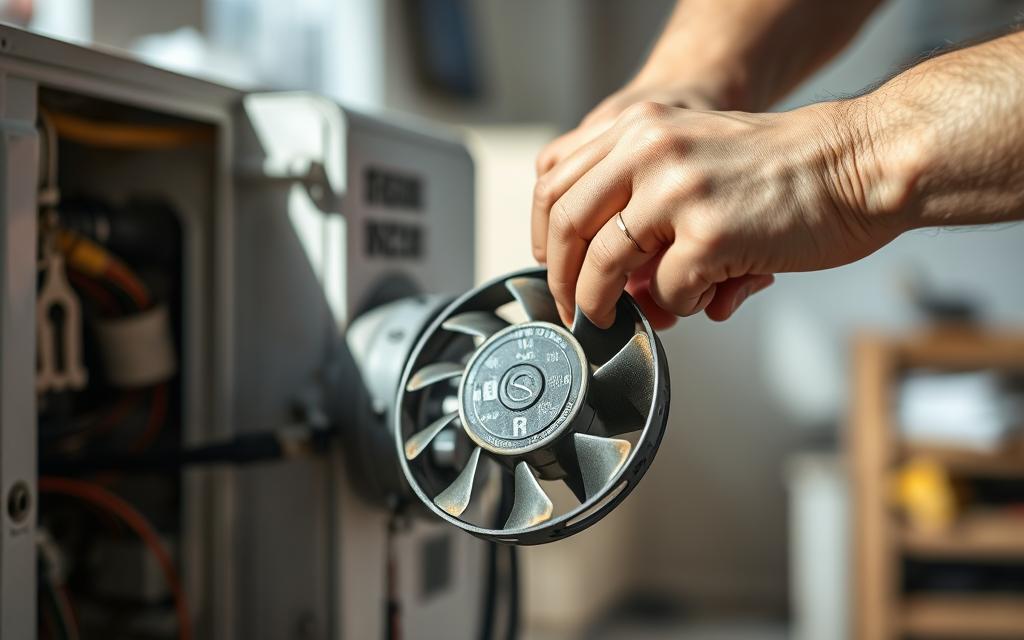
Make sure the microfarad (µF) value and voltage match the original capacitor. For fans with more than one speed, also check the terminal layout and the number of taps.
Choose high-quality parts from reliable sources like Hunter Fan or other well-known brands. If your fan’s specific, try to get parts directly from the maker. This will help avoid any issues.
First, cut power at the breaker. Take a photo of the wiring and setup before you disconnect anything. This makes it easier to put back together.
Next, safely discharge the old capacitor using an insulated screwdriver. Be sure to wear rubber gloves. Then, remove it and attach each wire to the right terminal on the new one.
Once the new capacitor is in, put everything back, turn on the power, and test it. If your fan uses connectors, make sure they’re plugged in tight.
Always turn off the power before starting. Use tools with insulation and be careful not to short the terminals when discharging. Treat capacitors with signs of swelling or leakage with extra care. Dispose of them following your local rules for electronic waste.
If fixing the fan seems hard, or if it’s still not working right, it’s smart to call a pro. A certified electrician can make sure everything’s safe.
If your fan speed control isn’t working, the issue might be with the control switch. We’ll show you how to find the right replacement, change the parts safely, and ensure they work together. By doing this, you can fix your fan speed control without having to guess what to do next.
Identifying the right switch
Start by figuring out what type of switch you need. Check if your fan uses a pull-chain, a wall-mounted switch, a solid-state controller, or a remote receiver. Note down the model number of your fan and the type of wiring harness it uses, if you can. For fans controlled by remote, make sure the new receiver matches the model of your remote for a smooth connection. Taking clear pictures of the wiring and terminals can help you find matching parts from brands like Hunter, Emerson, or Lutron.
Step-by-step replacement guide
First, make sure to turn off the power to your fan at the circuit breaker to avoid any shocks. Then, take off the switch cover or fan canopy to get to the switch or receiver. It’s a good idea to take photos of the wiring and label each wire for when you put everything back together.
Next, remove the screws that hold the switch in place and disconnect the wires. If there’s a harness, unplug it carefully, remembering how it was connected. Attach the wires to the new switch following the previous setup or plug in the new harness. If you’re installing a remote control system, put the receiver in the canopy and set the dip switches to work with your remote.
Once everything is connected, put the cover back on, turn the power back on, and test your fan at every speed. If the fan speed still doesn’t change, double-check your wire connections and make sure everything is seated correctly.
Ensuring compatibility
Check the electrical ratings like voltage and current to make sure the switch can handle your fan without any issues. Make sure the terminals on the new switch fit your fan’s wiring setup. For electronic wall switches, they must work with your fan’s motor type to avoid any damage.
If you’re not sure which part to get, opt for an OEM (original equipment manufacturer) replacement or check the fan maker’s guide. Choosing the right match reduces the chance of future problems. This way, you fix your fan’s speed control problem properly from the start.
Some easy habits can decrease the risk of problems. They help prevent fan speed issues before they begin. Checking your system each season keeps it running well and makes motors and electronics last longer.
Every season, tighten the screws on blades, light kits, motor housing, and brackets to lessen vibration. Oil bearings, if your fan model allows. Once a year, check the wiring and connections in the canopy.
If a fan is getting old or acts up sometimes, swap out old capacitors early. Doing this stops unexpected breakdowns.
Wipe the blades and motor housing regularly to keep the airflow smooth and reduce pressure. Use a gentle cloth and cleaner to remove dirt that could unbalance blades and overwork the motor. Make sure light bulbs don’t go over the fixture’s recommended power to prevent damage.
Look out for sounds like humming, less airflow, trouble changing speeds, or heat from the motor after 10 minutes. Stick to a schedule for testing the remote’s connection and changing its batteries. Change any parts that are failing—like capacitors, switches, or receivers—early to save the motor.
| Task | Frequency | Why It Helps |
|---|---|---|
| Inspect and tighten fasteners | Seasonally | Prevents vibration that can cause wear and help prevent fan speed issues |
| Lubricate bearings (if applicable) | Annually | Reduces friction and preserves maintenance HVAC fan speed performance |
| Clean blades and motor housing | Monthly or as needed | Keeping components clean prevents imbalance and stress on the motor |
| Check wiring and canopy | Annually | Stops loose connections that can cause speed settings malfunction |
| Test remote and replace batteries | Every 6–12 months | Ensures controls work and helps monitor fan performance |
| Replace aged capacitors or erratic parts | At first sign of trouble | Prevents further damage and helps maintain stable fan speed control |
If your fan’s speed control isn’t working even after you’ve tried the basics, it’s time to think about professional repair. Some issues can be dangerous to try and fix on your own. This guide will help you recognize when to seek help, find a trustworthy electrician, and set your expectations for a repair visit.
Look out for wiring that’s exposed or burnt near your fan or its switch. If your breaker keeps tripping or the motor gets too hot or smoky, these are big warnings. Don’t try to handle or test capacitors by yourself if it’s not safe. Instead, call a professional electrician.
Also, if tasks like changing a wiring harness seem daunting, or if your fan isn’t working after trying simpler fixes, get help. It’s especially important to get a licensed professional if you’re unsure about working with electricity. This helps avoid injuries or further damage.
Look for electricians who are licensed and insured and have experience with ceiling fans and HVAC systems. Use Angi, Yelp, or HomeAdvisor to read reviews and see if they’re generally positive. It’s good to ask them about their history with fan brands like Hunter or Emerson and to ask for references or photos of their past work.
Make sure they’re clear about their services for fan repair and the costs involved. Always ask for their insurance and license number before you agree to a visit.
The electrician should start by turning off the power safely and following all safety steps. They’ll check the voltage, look over the wiring, and figure out what’s wrong using specialized tools.
They might replace components like capacitors and switches, make sure everything’s mounted securely, and balance the blades. Ensure you get a detailed estimate, an explanation of what needs fixing, and ask if they use official parts. A reliable professional will also give you tips to stop the problem from happening again and might offer a warranty on their work.
| Issue Observed | Likely Expert Action | Why a Pro Is Recommended |
|---|---|---|
| Charred or exposed wiring | Replace wiring, inspect connectors, test insulation | Safety risk; requires licensed electrician fan skills |
| Persistent breaker trips | Load testing, trace short circuits, repair fault | Needs electrical diagnostics beyond basic troubleshooting |
| Motor overheating or smoking | Motor inspection, capacitor check, possible motor replacement | Risk of fire or permanent motor damage |
| Fan still fails after part swaps | Deep diagnostics of control board and harness | Complex wiring and components require pro tools |
| Unsafe to test capacitors | Safe discharge and testing with proper equipment | Capacitor testing involves stored energy that can injure |
Regular care stops many problems with fan speed control. Checking your fan each season, cleaning it, and listening for odd sounds helps avoid big issues. This protects the motor and keeps your home cozy and running smoothly.
To start fixing the fan, check if it has power and its switch works. Look at the wires for any damage, then test the capacitor and switch safely. If you need new parts, make sure they match the old ones. Use the steps we talked about earlier or get a pro for complex stuff.
Be ready: take pictures of the wires before you take anything apart. Keep the numbers for any parts you might need. Also, write down how to get help from companies like Hunter Fan. Doing these things stops fan speed problems and helps you fix them quicker.
Fixing it yourself or calling an expert, always be safe and keep track of your work. Being careful and keeping records will make your fan last longer. It also lowers the risk of future problems with the fan speed control.