Our Location
1250 Beacon Street
Brookline, MA 02446
Struggling with a toaster lever not staying down? Discover simple fixes for crumb blockages and solenoid issues to restore your appliance's function.
It’s surprising but true: even a tiny teaspoon of crumbs can jam your toaster. This jam can stop the toaster’s cycle and leave you searching for the stuck lever during breakfast.
Are you facing a toaster lever that won’t stay down? This is a common issue. If the lever won’t stay down, the heating won’t start or finish. This means your toast won’t get made, which can slow down your morning routine.
Pop-up toasters work in two main ways. Older ones use a heat-sensitive mechanism to lock. Newer types need power for a magnet to hold the lever down. If the lever pops up right after unplugging, your toaster uses a magnet system.
This article will cover two main fixes: cleaning out crumbs and checking the solenoid/electronics. We will guide you through safe cleaning methods, testing the solenoid, and basic electrical checks.
Consider that toasters are usually cheap to replace—starting around $10. Think about this before you spend too much time or money on repairs. This guide will help you figure out whether to repair your toaster, replace parts, or reach out to customer service.
The lever on a toaster seems simple but does a lot. When pushed down, the inside parts work together to start toasting. This action lowers the carriage, activates a latch to hold it, and turns on the heaters. The heat time is set by a thermostat or timer. Then, the carriage pops up, ending the toasting.
When you put bread in the toaster, it sits in a metal carriage. Pulling the lever down engages a latch that powers the heating wires. For the right amount of browning, models with bi-metallic strips or magnets control the latch.
Crumbs can jam the toaster’s moving parts. Bent or worn metal might misalign things. If there’s an electric problem like a bad solenoid, the lever could fail. Food bits might also cause a short, messing up the toasting.
The lock sets the bread’s depth for even toasting. A broken lock may stop or cut the heat early. This could even risk a fire. Fixing it means checking for crumbs, electrical issues, or broken parts.
| Component | Role | Common Faults |
|---|---|---|
| Carriage and Lever | Holds bread and initiates toasting | Worn pivot, bent lever, crumb obstruction |
| Latch / Locking Mechanism | Maintains engaged position during cycle | Stuck latch, misalignment, broken spring |
| Thermal Trip (bi-metal strip) | Times cycle by sensing heat | Calibration drift, sticking, slow response |
| Solenoid / Electromagnet | Holds latch under power until release | Failed coil, bad connections, solenoid switch faults |
| Control Electronics | Manages timing and power to elements | Faulty thermostat, failed transistor, PCB issues |
| Crumbs and Debris | Interferes with movement and contacts | Jammed slider, shorted elements, uneven toasting |
The toast lever can get stuck for a few reasons. Some issues are easy to fix at home. Others may require looking at worn parts or electrical problems more closely.
Crumbs and debris buildup
As you use it, bread crumbs fall into the toaster’s base. Over time, these crumbs can collect near important parts. This buildup can block movement, plug latch releases, or mess with electrical parts. To prevent this, regularly clean the crumb tray and tap out the crumbs.
Damaged or worn parts
Cheap toasters often wear out quickly. Problems can arise from bent parts or broken springs. Since these parts are difficult to fix, a misaligned latch might make the lever not stay down. This can happen even if the toaster looks okay.
Electrical issues
Some toasters use special magnets or solenoids for the lever. If these break, the lever won’t stay down. Other issues like bad wiring or stuck crumbs can cause similar problems. Power problems can usually be spotted if the lever doesn’t latch when the toaster is unplugged.
Cheaper toasters often use parts that are tough to fix. If your toaster is like this, it might be better to replace it. Keeping your toaster clean can help avoid lever issues and make it last longer.
A clean toaster performs better and lasts longer. Follow safe steps to eliminate crumbs and clean metal parts. This reduces the chance of lever issues. Regular maintenance can prevent the need for major repairs.
Preparing for safe cleaning
First, unplug the toaster and wait for it to cool. Remove any parts your toaster’s manual says can come off. Do this above a trash can in a spot where you can see well. Keep tiny parts like screws in a dish so you don’t lose them.
How to remove crumbs effectively
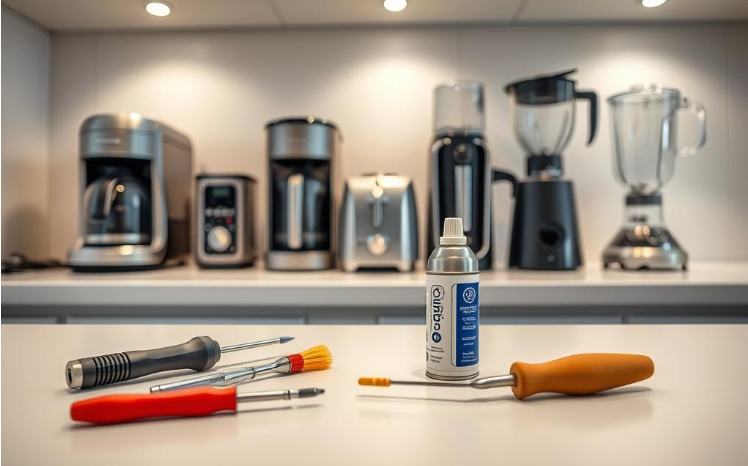
Take out the crumb tray and get rid of the loose crumbs. Gently tilt the toaster over the trash to remove the rest. Use compressed air to blow crumbs away from sensitive areas, but be gentle.
To clean further, use a small brush or stick. This gets rid of stubborn crumbs around tricky spots. Doing this helps fix common lever problems without needing new parts.
Best cleaning solutions for your toaster
Clean metal areas with isopropyl alcohol on a cotton swab. It’s quick to dry and doesn’t leave residue. Make sure moisture stays away from any electrical parts. If you must use water, let everything dry completely before you reassemble and use the toaster.
Avoid harsh chemicals on the elements. If the slider sticks, a little petroleum lubricant can help, but keep it clear of any electrical areas. Taking these steps regularly helps avoid lever issues and keeps your toaster working well.
Routine maintenance tip
If you use your toaster daily, clear out crumbs each week. Also, do a deeper clean with compressed air regularly to stop buildup. This way, you’ll deal with less trouble from your toaster’s lever down the line.
Before you open the toaster, watch how the lever moves when pushed down. The solenoid, a small electromagnetic device, keeps the metal tab in place during toasting. If its coil or switch breaks, the lever may act weird, even after you clean out crumbs.
A solenoid in a toaster is basically a mini-magnet made of a coil and plunger. When turned on, it energizes, holding the latch down. This keeps the bread carriage in place. When turned off, it releases, letting the bread pop up.
If your toaster’s carriage won’t stay down, the solenoid might be broken. Sometimes, the lever may not stay down consistently, working one moment and failing the next.
You might hear an odd humming or no click where there should be one. A burning smell or visible damage around the solenoid hints at a problem. Bad solenoid switches can also mess with its timing and stop it from working right.
First, look for crumbs that might be stuck between the magnet and latch. Always clean it out before doing any electrical checks. Use a multimeter to check the coil’s resistance. If you find an open circuit, the coil is bad.
If the coil seems okay but it’s not working, check the switches near the thermostat. Also, follow the power on the control board. A faulty transistor or a broken path can prevent the solenoid from working, even if the coil is fine.
Be careful when checking with mains power. Only those experienced should use insulated tools for live tests. If the solenoid is riveted, you might need a new chassis or parts from brands like Cuisinart or Hamilton Beach.
When your toaster lever acts up, stay cool and tackle it step-by-step. Small inspections can save both time and ensure safety. Always try these easy fixes before moving to bigger repairs.
Basic troubleshooting steps
When to consider professional help
Importance of regular maintenance
Cleaning the crumb tray every week and using compressed air now and then can stop many lever problems. A clean toaster doesn’t wear down as quickly and works better.
Checking the thermostat and how well it toasts regularly ensures everything works right. This keeps your toaster in good shape and prevents lever issues in the future.
Knowing how the toasting cycle works helps us understand odd lever behavior. When you choose how brown you want your toast, a thermostat or timer watches the time. Once the toast is as brown as you wanted, the power stops, and a part called the solenoid lets go.

In most toasters today, a timer or a special thermostat works with a solenoid. These parts heat the bread. At the same time, a piece moves closer to the solenoid switch.
When the timer or sensor says it’s time, it hits a switch. This stops the heat, and the solenoid turns off. Then, the lever is released and the toast pops up.
A thermostat that’s not set right or a shifted timer can mess with the solenoid. This might make the lever not stay down, even if everything else is working fine.
Touching the heating parts or too much heat bouncing back can cause problems in old toasters. Also, dirty switches or crumbs can keep the heat on. This stops the solenoid from working right, so the lever won’t lock.
Some toasters have a little screw or a movable bracket by the knob. Turning this carefully changes the cycle. Do small adjustments and try toasting quickly to see if it fixes the issue with the lever.
First, check which components look worn before deciding on a complete repair. A faulty toaster lever can result from small issues. Look for bent latches, broken springs, and burned parts. You should also test for an open coil with a multimeter. These are signs that some parts need to be replaced.
Identifying parts needing replacement
Typical parts that often need replacing include the solenoid and thermostat. You’ll also find latch assembly, springs, and heating elements on this list. Mechanical issues show up as loose or misaligned parts. Electrical issues can be seen in burn marks or failed continuity tests.
Where to find replacement parts
Brands like Hamilton Beach and Cuisinart provide specific parts for their models. Appliance parts stores have a good selection, as do electronics shops for some components. You can also check online or thrift stores for cheaper options. Sometimes, you might need to replace the whole toaster if certain parts are riveted.
DIY repair versus professional service
For small repairs like cleaning or simple adjustments, you can do it yourself. But for complex electrical repairs, professional skills are needed. If fixing a toaster lever seems hard or if it’s still under warranty, it’s best to seek professional help. For inexpensive toasters, consider if it’s worth repairing or if buying a new one is better.
Keeping a toaster working well involves simple actions. It requires just a few minutes each week. This care and making smart choices can prevent common toaster problems.
Maintaining a clean toaster
Empty the crumb tray weekly if you use your toaster daily. Crumbs can block the latch and increase the chance of the toaster lever jamming. To clean, use compressed air or a soft brush for corners and a cotton swab with isopropyl alcohol for spots close to the carriage.
Ensure the toaster is on a flat surface. This stops food pieces from getting inside the mechanism.
Best practices for toasting
Do not push in oversized items. Thick sandwiches and bagels can damage the toaster. Always trim hard crusts that may break and create mess inside.
Always pick the right setting for frozen bread. And keep an eye on the toaster the first time you try a new type of bread. This helps avoid burned crumbs and the need for toaster lever troubleshooting.
Avoiding common toaster mistakes
Do not put the toaster in water. Stay away from harsh cleaners near the heating elements. And avoid using too much lubricant near electrical parts.
Clear any small jams quickly instead of ignoring them. Regular checks can prevent minor issues from causing a bigger jamming problem. If basic cleaning doesn’t solve the problem, follow toaster lever troubleshooting steps carefully before trying to fix it.
| Preventative Task | Frequency | Benefit |
|---|---|---|
| Empty crumb tray | Weekly (daily-use) | Reduces debris that causes latch failure and toaster lever not staying down |
| Blow out crumbs with compressed air | Monthly | Clears hard-to-reach buildup that leads to toaster lever jamming |
| Inspect carriage and guides | Every 2 months | Early detection of bent or worn parts avoids complex toaster lever troubleshooting |
| Test with a known-good slice | After any incident | Confirms proper function and catches intermittent faults |
| Professional checkup | Annually or if problems persist | Prevents electrical faults and extends appliance life |
Take a moment and plan before working on your toaster. Small problems like a stuck lever might seem easy but can be dangerous because of the toaster’s wiring and heat. Make sure to follow steps carefully to stay safe and not worsen the issue.
Always unplug your toaster before cleaning it, opening it up, or checking its parts. Wait for it to cool down for 30 minutes so it’s safe to touch.
Only remove the crumb tray to clean it when the toaster is not connected to power. Using a tester while the toaster is plugged in is risky and can make problems worse.
Clean out crumbs with compressed air, a soft brush, or wooden toothpicks. Stay away from using water around the toaster’s wiring and use alcohol on cotton swabs for cleaning metal parts.
Keep your hands and tools away from the toaster’s heating elements. If you need to do checks with power on, use insulated tools and wear safety gloves. It’s best to let a professional handle these tests.
Stop if you find any damaged wires, burnt parts, or if things are too hard to open without drilling. Leave repairs needing soldering or live testing to professionals. Know when it’s better to just get a new toaster instead of fixing the old one.
| Risk | Safe Action | When to Call a Pro |
|---|---|---|
| Live power present | Unplug and verify power is off before opening | If power cannot be isolated or switch fails |
| Stuck mechanisms (lever not staying in place) | Clear crumbs, inspect latch and solenoid visually | If parts are broken, riveted, or require soldering |
| Burnt wiring or smell of smoke | Stop use immediately and unplug | Always contact a technician or replace the unit |
| Live testing needed | Use insulated tools and PPE only if experienced | Prefer certified appliance repair or electrician |
If your toaster lever won’t stay down after you’ve tried cleaning and checking it, reach out to customer service. Begin with explaining what’s wrong, when you bought it, and the model. Keep your receipt and any pictures ready to help things go faster.
Warranty considerations
Before you try fixing it, see if the warranty covers your toaster’s lever problem. Opening your toaster could end your warranty. If it’s from brands like Cuisinart, Breville, or Hamilton Beach, call their service line. Don’t forget to have your serial and model numbers ready.
Issues beyond DIY repair
Some problems are too tough for DIY fixes. Issues like power-control board failures or burnt wiring need experts. Leave these to the professionals at service centers. They keep your toaster safe and your warranty valid.
Finding the right support
Start with the manufacturer’s customer service or their authorized repair centers. Check the brand’s website. If your toaster is out of warranty or a no-name brand, look into local repair shops. Compare their prices to the cost of a new toaster before you decide to repair it.
| Contact Option | Best For | What to Prepare |
|---|---|---|
| Manufacturer Service Line | In-warranty defects and branded models | Model, serial number, purchase date, photos, receipt |
| Authorized Repair Center | Complex internal repairs and part replacements | Service order history, clear fault description, warranty info |
| Local Small-Appliance Shop | Out-of-warranty or older models | Estimate request, comparison of repair vs replacement costs |
| Electronics Technician | Control board or soldering work | Detailed fault notes, safety concerns, prior attempts to fix |
Keeping up with toaster maintenance means it’ll work safely and last longer. Clean out crumbs every week if you use your toaster every day; this stops big problems before they start. Use compressed air and a bit of alcohol on a swab to get rid of dirt that’s not easy to see. Adding a small amount of lubricant to moving parts keeps everything running smoothly. And if your toast isn’t the right color, adjusting the thermostat can help.
Doing simple checks can help you catch issues before they get worse. Looking over your toaster and cleaning it regularly can prevent the lever from getting stuck. This means you won’t have to deal with harder fixes later. If you notice your toaster acting strange, like not turning on correctly, think about whether it’s better to fix it or get a new one. For complicated parts, it’s best to call someone who knows what they’re doing.
Taking care of small problems quickly makes breakfast better. By acting early, you save time, reduce the risk of a fire, and make sure your toast comes out just right every time. Regularly follow these tips to keep your toaster working well, making your mornings smoother.