Our Location
1250 Beacon Street
Brookline, MA 02446
Solve your tower fan making noise issue with our easy lubrication guide and shaft alignment tips for a peaceful, cool environment.
A surprising 72% of small-room tower fans start making noise within two years, reports say. This is a shock since they should be quiet helpers in our homes and offices.
This guide offers easy steps to fix a noisy tower fan. We’ll focus on how to lubricate it and align its shaft. It’s meant for typical consumer fans from brands like Honeywell and Dyson. But, the basic tips we share apply to many types of fans.
First, you’ll figure out why your fan is noisy. Then, we’ll show you how to use light machine oil to lubricate it. Be careful not to use sprays like WD-40. You’ll also learn to check the shaft’s alignment and reduce vibration. This way, your fan will be quiet once more.
Always remember: safety first. Make sure to unplug the fan before you start. Most issues with noisy fans are easy to fix with a few tools and some time. If you come across electrical problems or major shaft damage, it’s best to get professional help.
Tower fans can suddenly start making noise. Finding the cause is the first step. It helps you know if you can fix it or need a pro. Here are the top things to check, coming from fan care and fixing know-how.
Old bearings can make a grinding or squeaking noise. Bent parts or uneven blades cause vibration. Loose parts can knock against the fan’s body.
Look for blade damage, check if bearings wobble, and find any loose bits. Tightening, replacing, or oiling these parts often fixes the noise.
Electrical issues cause different sounds. A humming motor might mean voltage problems or a strained motor. A fan turning off and on can be due to bad electrical connections.
If the fan’s hot and humming, unplug it. Check the power and fuse. Seeing humming or heat? Get it fixed to prevent more damage or a fire.
Dust on blades makes the fan strain. Stuff near the impeller can grind. Blocked vents make the motor overheat.
Where you place the fan matters. A stable spot reduces rattles. Regular cleans and clear airflow help stop fan noise.
Use these tips from industrial fan fixing: clean blades and vents, oil bearings, check the motor’s power, and make sure it stands right. Doing these can show the noise’s source and help fix it safely.
Before your tower fan breaks down, it gives clues. Look out for changes in how it sounds, moves air, and feels in temperature. Checking it early can help fix fan noise and stop it from getting louder.
If your fan grinds, it might be because of worn bearings or debris. This grinding sound often comes with loose blades or dust. To fix it, take off the grille, clean it out, and oil the rotor bearing. Use machine oil, not WD-40, for squeaks.
Squeaking can mean it needs oil. A rattling sound might be due to loose parts. A humming noise could mean the motor or electricity supply has issues. Clicking and whirring can be from something inside the fan. These signs help you know when to clean or repair it.
Dust on blades or blocked vents can lessen airflow. This makes the motor work harder, getting hot and noisy. Cleaning the blades and vents can fix the airflow.
Test the fan at all speeds after cleaning. Weak airflow even after this might mean a bigger issue. This could become a motor problem if not checked.
Overheating signs include the fan feeling hot, turning off by itself, or a burning smell. This can happen if airflow is blocked or the motor is dirty. Cleaning the vents and motor helps it stay cool.
Taking care of your fan can prevent wear and tear. Regular checks and oiling can make your fan last longer. It avoids loud noises, too.
Lubricating your tower fan can quiet it down and is a good DIY fix. Follow these steps for a safe clean and oiling. This can solve many noise issues without needing a pro.
Required tools and materials
Don’t use WD-40 for this job. It pushes oil out and can make the fan noisier over time.
Lubrication process
Tips for effective lubrication
| Step | Action | Expected Result |
|---|---|---|
| 1 | Unplug and open housing | Safe access to internal parts for inspection |
| 2 | Clean blades and rotor | Remove dust that causes imbalance and noise |
| 3 | Apply 1–2 drops of light oil to shafts | Smoother rotation and reduced friction noise |
| 4 | Spin wheel manually and reassemble | Even oil distribution and secure reassembly |
| 5 | Test speeds | Confirm repair or decide to troubleshoot noisy fan further |
Following these steps helps fix a noisy tower fan for many. If the noise doesn’t stop, think about other solutions. Or, get help from someone trained to avoid harm to your fan.
Correct shaft alignment ensures the motor shaft and rotor are perfectly lined up. This prevents the blades from hitting the housing. As a result, vibration is reduced, and the risk of developing persistent faults in a noisy tower fan is minimized.
Shaft alignment ensures that the motor shaft and fan impeller align exactly. This allows the blades to rotate smoothly, ensures even clearance, and reduces stress on bearings. With proper alignment, your fan will run quieter and its components will last longer.
Misalignment may occur right from the factory or due to mishandling. It can happen from drops, bumps, or rough transport. Problems like worn mounting points and loose motor mounts can cause the shaft to tilt or shift. For belt-driven fans, mismatched belts and couplings can lead to parts being off-center.
If you hear a constant humming or scraping, it might mean the blade is touching the housing. Visible wobble in the rotor and uneven gaps between blades indicate misalignment. Such issues often lead to more vibration, rapid wear of bearings, and could make a noisy tower fan worse over time.
Regular maintenance and correcting alignment issues can significantly reduce vibration and heat. It also extends the life of motors and bearings. Tackling alignment problems early on can help avoid larger repairs later for a noisy tower fan.
Before trying to quiet a noisy tower fan, take a few minutes to check the shaft alignment. You might find bent shafts, loose mounts, or uneven blade spacing. Choose a method that fits your tools and how serious the fan noise is.
Visual Inspection
First, unplug the fan. Then, spin the rotor by hand and watch the blades and rotor gap as it turns. Look for any shake, bends, warp, or loose screws. Check the motor’s mounting points for cracks or looseness, which could be causing noise. Tighten any screws you see and try to secure loose parts, then check if the shaking has improved.
Using a Laser Alignment Tool
A laser kit is good for a detailed check. Install the laser on a fixed spot or directly on the shaft, based on the kit’s design. Turn the fan slowly and watch the laser’s path. Any shift from a straight line means there’s a problem. Laser tools are mostly used by experts but could be too much for home fan issues. Go this route if basic methods didn’t stop the fan noise.
Manual Measurement Techniques
Simpler methods also work well. Use a ruler or calipers to measure the distance between a blade and the frame. You can also use a pencil as a reference point, turning the rotor to check for any movement against the pencil. Feeler gauges are good for checking the space around the blade. Always make sure the fan is off and unplugged before measuring.
Usually, visual or manual checks are enough to handle noisy fan issues at home. If the problem continues, you might need a laser check or professional help to fully solve it.
Before you start, it’s crucial to prepare the fan and your working area. This prep step reduces risks and helps fix a noisy tower fan without new issues.
First, unplug the fan and set it up in a clean, flat space. Make sure you have tools like screwdrivers, a torque wrench, feeler gauges, and replacement parts from the fan’s maker.
Next, open the fan by removing its housing and fan wheel, as shown in the manual from brands like Dyson or Honeywell. Snap some photos for reference of how everything fits together.
Look over the parts for any bends, cracks, or signs of wear on the bearings. It’s important to spot issues like bent blades or a damaged shaft so you know if you need new parts or just an alignment.
Begin by loosening the bolts on the motor mount enough so you can make slight adjustments. Don’t take the bolts out completely; they should stay in to let the motor shift.
Adjust the motor shaft so it’s even with the fan housing and impeller. A gentle push can move the shaft into the right spot. Even small adjustments can make a big difference.
Replace the shaft or motor assembly if there’s a big bend. Fixing minor bends should be left to experts to avoid making it worse.
While checking the alignment, tighten the mounting bolts bit by bit. Tighten one side slightly, then do the same on the opposite side for balance. Double-check to keep the motor steady.
Make sure the blade hubs are correctly placed on the shaft. Also, check that the couplings and screws are tight so the rotor spins smoothly.
Give the rotor a manual spin to watch for blade clearance from the housing. Any touch or imbalance means you need to adjust again.
With the fan partly put together, turn it on at a low setting to hear for any odd noises. If you still hear vibrations, turn it off and check the alignment and bearings again.
If there’s a lot of misalignment or visible damage to the shaft, you might need a new motor or get a pro to fix it. Be careful not to tighten the mounts too much as it can cause new problems and reduce the parts’ lifespan.
Simple changes can majorly reduce noise from tower fans. Pair room adjustments with fan improvements like lubrication and aligning parts. These steps are great for bedrooms, offices, and small spaces.
Putting up sound-dampening foam or acoustic panels on walls can lessen noise in small rooms. Make sure the fan’s airflow isn’t blocked to keep it working well and not overheat.
Opt for lightweight panels behind the fan. They’re better at soaking up the noise that makes tower fans sound louder.
Place your fan on neoprene or rubber pads to stop it from vibrating on hard surfaces. A soft pad can significantly reduce rattles and thumps.
Make sure the pads fit the fan’s base. If there’s still a hum, it might be time for new pads.
Avoid placing the fan near walls or in corners where noise can build up. These spots can make the fan’s noise worse.
Keep enough room around the fan so it can breathe. Even moving it slightly can make a big difference in noise reduction.
Combine these steps with regular fan maintenance. Keep it well-lubricated and make sure parts are aligned. This enhances the benefits of soundproofing and smart placement.
| Measure | What it fixes | When to use |
|---|---|---|
| Acoustic panels | Reduces reflected and mid/high frequency noise | Small rooms with hard walls and echo |
| Neoprene vibration pads | Stops base rattling and low-frequency thumps | Hard floors, shelves, or mounted fans |
| Relocate fan | Reduces resonance, turbulence, and amplified noise | Fans near corners, in tight enclosures, or close to walls |
| Lubrication & alignment | Eliminates mechanical squeaks and imbalance hums | Persistent internal noises after placement fixes |
Some fan issues are easy to fix yourself. But some problems need a trained technician. Below is a guide to know when DIY fixes should stop and professional help is needed. This is to ensure your safety and to keep the fan’s warranty.
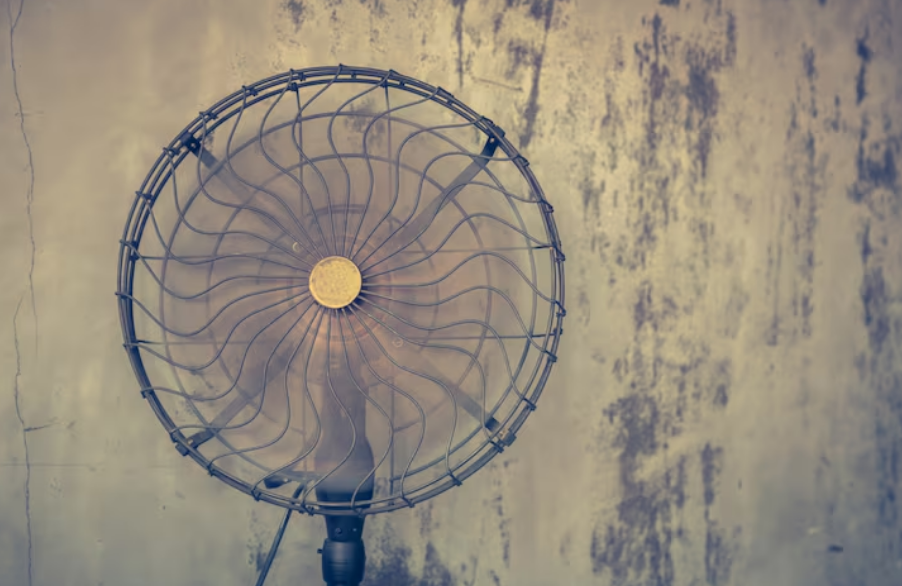
Some signs clearly show it’s time to call a pro. If your fan still hums after you’ve tried fixing it, it might have a serious motor problem. A burning smell or any sparks call for immediate expert help.
Can’t fix bearings because they’re sealed or rusted? A pro can assess what to do next. Don’t try fixing serious damage yourself. This includes big issues like a damaged motor. Trying to fix these could void your warranty.
Look for a technician skilled in fixing small appliance motors. Local HVAC and appliance repair shops often fix fans. Make sure they have experience with your fan’s brand, like Dyson or Honeywell.
Think about the repair cost compared to buying a new fan. Sometimes, it’s cheaper to buy a new fan than fixing it. If fixing costs too much, getting a new fan might be the best choice.
If the fan is still under warranty, call the manufacturer first. This will ensure your warranty stays valid. It might also save you money, avoiding third-party repair costs.
To keep a tower fan working well, start with a simple seasonal plan. Regular care lowers wear, keeps air moving well, and makes it easy to fix noises early. This stops small problems from getting bigger.
First, always unplug the fan. Use the guide from brands like Dyson or Honeywell to open it safely. Then, clear dust from parts like blades and motors with a gentle brush or compressed air.
Clean parts you can reach with a cloth that doesn’t leave lint behind. If you can oil the bearings, do it at the spot where the motor shaft meets the housing. This keeps the fan quiet and parts moving smoothly.
Check your fan in spring and fall before it gets used a lot. Turn it on at every setting to make sure it sounds right and doesn’t get too hot. Tighten any loose screws on its base and housing.
Make sure the blades are balanced and spin them to check for wobbles. Look at the wiring for any signs of damage. These regular checks help find problems early and stop unexpected breakdowns.
Keep your fan away from places that are dusty, like kitchens or areas with pets. Using an air purifier or cleaning more often can also lessen dust. Less dust means less chance of overheating, shaking, and getting worn out.
Sticking to a maintenance schedule helps your fan last longer. Choosing better parts can also prevent it from breaking down early, ensuring it stays quiet and works well for a long time.
Small noises from your tower fan can get on your nerves. Follow a clear step-by-step guide to fix these issues fast. Start by cleaning your fan. Then, lubricate its moving parts. Finally, tighten and realign its parts. If you still hear noise, get a pro to check the motor bearings or electrical issues.
Rattling sounds
Rattling noises often mean screws are loose, grille parts are shaking, or there are objects inside the fan. Always unplug the fan first. Then, open the fan and look for any debris, loose screws, or bent parts.
Tighten any loose screws and check the grille and fan base. Take out any foreign objects you find. If you see any damaged blades or housing, buy new parts from trusted brands like Honeywell or Lasko. Follow the manual to replace these parts.
Squeaking noises
Squeaks are usually a sign that the fan needs oil. Clean off any dust first so it doesn’t mix with the oil. Put a few drops of light machine oil on the bearings and where the motor and rotor meet.
If it still squeaks after oiling, the bearings might be worn out. You’ll need to replace them. Get help from a trained technician or use official parts for the best fix.
Whirring and clicking sounds
Whirring noises might mean the motor is out of alignment or there’s a problem with the voltage supply. Check if the shaft is aligned correctly, if the mounting brackets are tight, and if your wall outlet voltage is right using a multimeter. Fix any loose mounts and realign the shaft as the maker suggests.
Clicking sounds usually happen when a blade hits the housing or a loose part is moving during fan operation. Look at the blade spacing and straighten any bent ones. Secure any loose clips and fasteners. If parts keep loosening, you may need to replace the faulty part to stop the fan noise for good.
To fix fan noises, start by cleaning, then oiling, and finally tightening and realigning parts. This approach solves most fan noise problems. If the noise doesn’t stop, it’s time to call in a professional for a closer look at the motor bearings and electrical setup.
| Problem | Quick Check | DIY Fix | When to Call a Pro |
|---|---|---|---|
| Rattling | Loose screws, debris, warped grille | Unplug, remove debris, tighten screws, replace damaged parts | Housing or blade damage; repeated looseness |
| Squeaking | Dry bearings or shaft | Clean, apply light machine oil to bearings and shaft | Squeak after lubrication; visible bearing wear |
| Whirring | Motor hum, misalignment, voltage issues | Check alignment, tighten mounts, verify outlet voltage | Motor humming persists; electrical irregularities |
| Clicking | Blade contact or loose parts | Inspect clearance, straighten blade, tighten fasteners | Bent blade beyond repair; internal motor contact |
To keep your tower fan in good shape, just practice a few easy habits. Place the fan in usual spots where other home appliances go. Steer clear of really warm, dusty, or moist places. These areas can cause more wear and trouble for your fan.
Your fan works best in normal room temperatures from 60°F to 85°F. Too much heat can mess with the motor’s lifespan. And, if it’s too humid, dust sticks around, which eventually makes the fan noisy.
Tower fans just move air around; they aren’t the same as an air conditioner. Hoping for it to cool a big room all the time can wear it out. For bigger cooling jobs, there are special fans made to handle more work.
Always follow the manual for taking your fan apart, oiling it, and understanding the warranty. Stick to what the maker suggests for parts and oils. Using the right oil and parts helps keep your fan quiet and stops it from getting noisy after fixes.
Looking after your fan well and setting the right expectations helps it stay reliable. Taking care of it on time and placing it in a good spot means fewer chances of noise, keeping your tower fan quiet for a long time.
To keep a room quiet, begin with simple actions. Always turn off and check the fan. Make sure to clean its blades and vents. Also, oil the bearings lightly (not with WD-40), check the shaft’s position, and secure loose parts. Using pads that stop vibrations and placing the fan on a solid base can also help. This reduces shaking and makes air flow better.
The steps we’ve outlined tackle the usual reasons behind a loud tower fan. Cleaning regularly and oiling specific parts usually solve complaints about noise. Make sure screws are tight and the shaft is straight. If the fan still makes noise, try pads that absorb vibration or move the fan. These are simple fixes.
Doing small upkeep tasks often stops many issues and makes your fan last longer. Plan checks with each new season. If you find electrical problems or big mechanical issues, get in touch with Dyson, Honeywell, or another brand’s support. Or see a skilled repair person. Most of the time, with the right tools and methods, you can fix noise problems at home. This brings back a peaceful, cool atmosphere.