Our Location
1250 Beacon Street
Brookline, MA 02446
Is your microwave turning on by itself? Learn about membrane switch and relay safety checks to troubleshoot and fix this spooky behavior.
Nearly 20% of homeowners say their microwave has turned on by itself. Imagine hearing it start up in the night, with no one at the controls. This sudden noise isn’t just eerie. A self-starting microwave can overheat food, burn containers, or even start a fire if flammable items are inside.
Ever find your microwave turning on without a reason? This article helps figure out why. We’ll look at common causes like the membrane touchpad and the relay system. By following these steps, you can find out if it’s a simple keypad issue, a relay problem, or something for a pro.
Remember: our troubleshooting tips come from general manuals and guides. Since microwaves vary, always check your model’s guide or contact the maker for specific advice.
Always prioritize safety with microwaves, as they have high-voltage parts. Always unplug it and safely discharge the high-voltage capacitor before checking inside. We’ll tell you when it’s safe to do it yourself and when to call an expert.
When your microwave starts on its own, it’s often due to a few usual suspects. This guide points out common issues to help you find and fix problems quicker. Look for warning signs and figure out what to do next.
The control board manages functions like timing and the display. Issues like damaged circuits or failed components can cause the microwave to start by itself. Sometimes, this can even bypass door safety features.
If you notice a strange smell, see burn marks, or the microwave acts weird, check the control board. Manuals suggest looking at it closely and getting a new board if it’s damaged.
For old microwaves, fixing them might cost more than getting a new one. Handy people can try fixing it with the right parts and some know-how.
The membrane switch under the control panel senses button presses. If it’s cracked or worn, it might start the microwave without a clear reason.
Signs include the microwave starting with random button presses or buttons not working correctly. If you see damage or the membrane acts up, testing it with a multimeter can help. You might have to replace it.
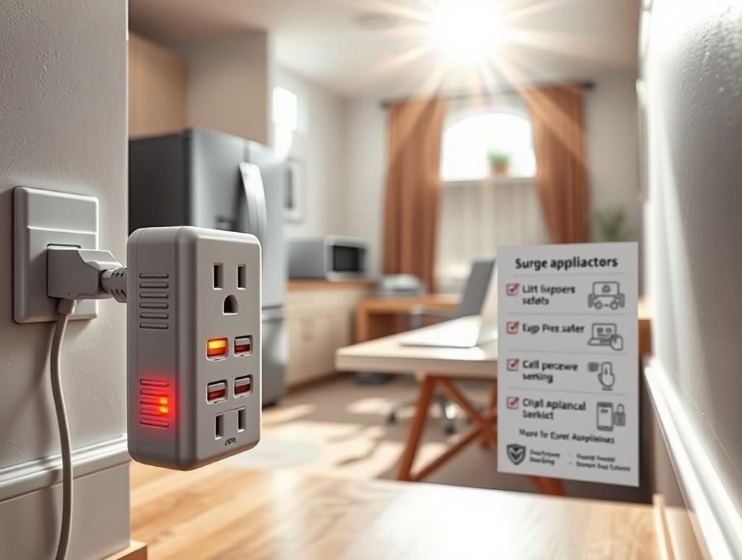
Power surges can harm parts that protect the microwave, like MOVs. If these parts fail, your microwave might act unpredictably or even start randomly.
Guides suggest checking MOVs and replacing any blown fuses. Also, using a surge protector can help avoid these issues in the future. Other problems might involve the door switches or other internal parts, as detailed in repair manuals.
| Cause | Key Signs | What to Check | Repair Tip |
|---|---|---|---|
| Faulty Control Board | Burning smell, scorch marks, error codes, erratic starts | Visual inspection for heat damage, solder joints, and blown parts | Replace board or swap known-good unit to confirm; weigh repair vs replace |
| Malfunctioning Membrane Switch | Phantom button presses, intermittent response, visible pad damage | Test continuity with a multimeter; check for liquid residue or wear | Replace membrane pad; avoid further use until fixed to prevent microwave auto activation |
| Power Surges | Blown fuses, failed MOVs, sudden erratic controller behavior | Inspect fuses and MOVs on the control board; check household surge history | Replace failed components and add surge protection to lower future risk of microwave malfunction |
Before you start fixing a microwave, it’s good to know its main parts and their roles. Understanding the printed circuit board, relays, and the membrane key assembly is key. This helps you find problems that could make a microwave start on its own.
Control board functions revolve around the PCB, or brain of the unit. This board controls timing, display, low-voltage logic, and relays for high-voltage circuits. It includes MOVs, fuses, and connectors for the key assembly.
Service manuals say bad PCBs can cause many issues. These include random actions, frozen displays, or non-stop full power. Checking for damaged parts and cold solder joints is the first step. If the board has big problems, it’s best to replace it.
Relay in microwave setups switch power for the magnetron and heater. Relays can be electromechanical or solid-state. They are placed close to the control board. If a relay sticks or contact welds, the magnetron might turn on by itself. This means the oven could run at full power no matter the settings.
Always turn off the main power before testing relays. Manuals recommend checking the relay contacts for continuity. You can also watch how they work in safe conditions. If needed, relays can be replaced while servicing the PCB or by changing the whole board.
Membrane switch explanation shows the importance of the front panel. This flexible pad closes circuits when you press it. Damage or wear can cause issues, leading to random actions.
Common problems are buttons not working right or the oven starting on its own. You can check each button with a multimeter. If there’s a problem, it’s better to replace the whole key assembly for a dependable fix.
| Component | Role | Common Fault Signs | Recommended Check |
|---|---|---|---|
| Printed Circuit Board | Central controller for timing, logic, display and relays | Random programming, frozen display, full-power output | Visual inspection, solder joint check, ohm low-voltage traces |
| Power Relay | Switches magnetron/heater circuits on and off | Stuck closed, welded contacts, oven runs unexpectedly | Disconnect power, continuity test, replace relay or PCB |
| Membrane Key Assembly | User input interface with layered conductive traces | Intermittent buttons, phantom inputs, unresponsive pads | Continuity while pressing pads, replace assembly if faulty |
When an oven turns on by itself, it’s worrying for anyone nearby. It poses safety risks in homes and workplaces. This section highlights dangers of a self-starting microwave and stresses the need for quick action.
A microwave starting alone might heat items that shouldn’t be in there, like metal or sealed jars. This can cause sparks or arcing. These events boost the chance of fires. Samsung and Whirlpool say built-up grease or food remains can catch fire if heated without control.
Keeping the microwave clean and fixing damaged parts lowers fire risks. Leaving it on unwatched increases danger, particularly if flammable stuff is inside.
Electrical shock potential
Microwaves have parts inside that hold a dangerous charge even when unplugged. This can cause severe electrical shocks. UL and CSA-certified models’ manuals show how dangerous DIY fixes can be.
There are safety features to stop the microwave from working when the door is open. If these fail, it’s both a shock and fire hazard. Experts suggest checking these switches and replacing them if needed to avoid accidents.
Before asking for help, start with easy checks. Follow safety steps. This helps you know if you can fix it or need a technician for a random microwave turning on.
Unplug your microwave
First, unplug the microwave. This keeps you safe as you check for problems. Even unplugged, microwaves store electricity, so don’t open them. If you need to, get a trained technician.
Check for visible damage
Inspect the outside and inside of your microwave for damage. Look at door seals, hinges, and the touchpad for signs of harm. Burning smells suggest parts might fail soon.
Check inside for issues. Look at the waveguide cover and walls for food or burn marks. Messed up touchpads or buttons can also cause issues.
Inspect the plug and outlet
Examine the cord and plug for damage. A loose or hot outlet can make the microwave turn on by itself. Microwaves need their own circuit, manuals say.
Test the outlet. Change it if it looks burned, or call an electrician. Too many appliances on one circuit can also make your microwave act up.
| Step | What to Look For | When to Call a Pro |
|---|---|---|
| Unplug microwave | Power disconnected, no operation | If capacitor discharge or internal checks are needed |
| Check visible damage | Burn marks, melted touchpad, arcing inside cavity | If you find charring, burning smell, or damaged safety interlocks |
| Inspect plug and outlet | Loose prongs, melted plug, hot or discolored outlet | If outlet shows heat damage or failed wiring tests |
First, safety is key. Make sure to unplug the microwave and follow the manual to safely discharge the capacitor. It’s best to wear an anti-static strap. And always ground yourself before touching the control board, to avoid any damage from static electricity.
To get started, open the microwave according to the service manual to reach the control panel. Then, disconnect the membrane switch connector from the PCB. Use a multimeter set to the right mode to test each pad on the membrane, one after another.
How to test with a multimeter
Signs of a defective membrane
Replacement options
Relays on the control board work like gatekeepers. They manage high-voltage circuits and the magnetron. They turn power on and off as needed for heating or running the fan. Some use electromechanical relays with parts that move. Others have solid-state switches which look different but do the same thing. Understanding relays helps you find problems when the microwave acts up, like turning on by itself.
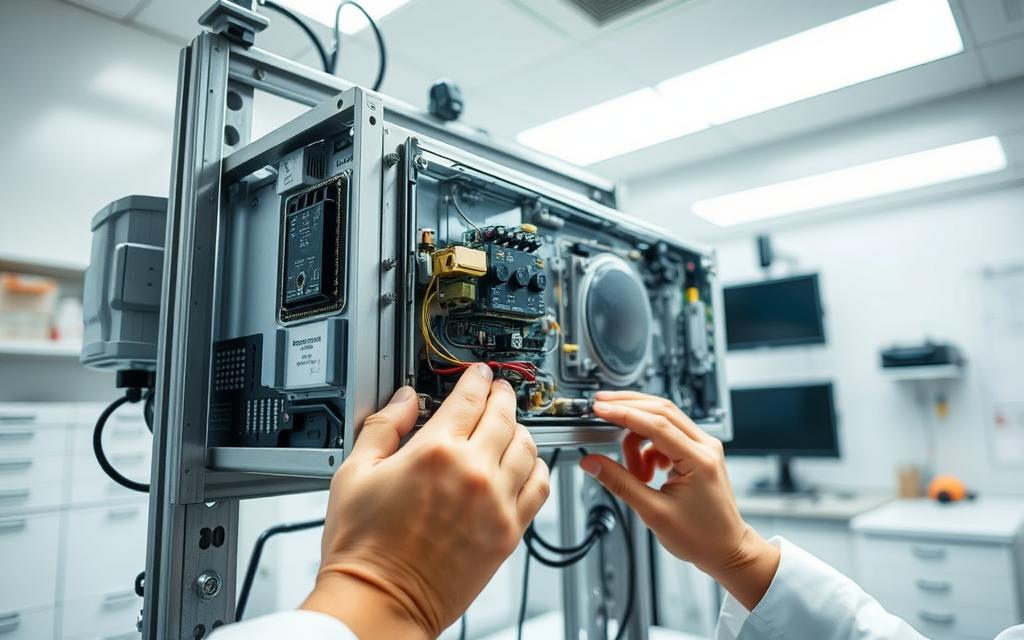
Always think safety first before inspecting. Make sure to unplug the unit and safely discharge the high-voltage capacitor. Only then, remove the cover if you know what you’re doing. Use service manuals and schematics to find the relay and its connections on the PCB.
How to test the relay:
Knowing the signs of a bad relay speeds up troubleshooting. These signs can be full power heating on a low setting, the unit not turning off, or starting up on its own. Look for signs like burned contacts, a burnt smell, or a deformed relay housing.
Failed relays usually mean there’s also PCB damage. Just replacing the relay without fixing the main issue may cause more problems. A detailed relay test and board check-up are your best bet for a lasting solution.
If your microwave emits burning smells, smokes, or shows visible fire damage, stop using it. Get professional help immediately. Random powering on after trying basic fixes is a warning sign. Sticky or failing door interlocks are dangerous and require an expert’s touch.
Feeling unsure about handling the high-voltage capacitor or checking relays while live? It’s time to call a professional for microwave repair. Manuals note the risk of severe injury from mishandling. A safety expert in microwaves can prevent shocks and wrong repairs.
Find a certified technician skilled in servicing brands like Panasonic, Samsung, GE, or Whirlpool. Check their local reviews. Make sure they use either OEM or reliable replacement parts for crucial components.
Inquire about their safety practices. This includes discharging capacitors, leak tests after repairs, and ensuring wiring is up to code. Ask for a detailed estimate to understand repair or replacement costs. For microwaves costing around $200, buying a new one might be cheaper than fixing.
Choose a technician who confidently conducts live tests, identifies issues with PCBs or magnetrons, and does necessary leak checks. For built-in or over-the-range models, find someone who will review the installation and circuitry. This helps avoid problems later.
| Issue Observed | Why a Professional Helps | Ask Before Hiring |
|---|---|---|
| Burning smell or smoke | Stops fire risk, inspects damage, prevents reuse until safe | Are you certified and insured? Do you perform leak testing? |
| Random powering on | Diagnoses control board, relay, or membrane switch faults | Can you test relays safely and replace PCB parts? |
| Faulty door interlock | Ensures interlocks meet safety standards and repair is secure | Do you use OEM interlock switches and test after repair? |
| High-voltage work needed | Technician can discharge capacitors and avoid shocks | What are your capacitor discharge procedures and references? |
| Built-in or over-the-range unit | Checks mounting, ventilation, and dedicated circuit needs | Do you handle installation checks and code compliance? |
Keeping your microwave in good shape is easy with a few weekly habits. Regularly cleaning it stops food from burning and keeps air flowing. Always wipe it down after spills and softly clean the waveguide cover. Make sure the door and seal are in good shape so everything works right.
Check the control panel for any sticky spots. Spilled liquids can make the microwave act up. Also, listen for strange sounds from the motor or fan. Fix small issues quickly and replace any worn parts as suggested by brands like Panasonic or Whirlpool.
Plug your microwave into a three-prong outlet and check the connection. A bad connection can break the microwave. Avoid using dodgy adapters and change any cords or outlets that look burnt. Using surge protectors can also protect your microwave from power spikes.
Keep high-power appliances away from your microwave’s circuit. Running too many devices at once can cause power drops. If your power often dips, get an electrician to check it. Using a separate circuit for your microwave, as the maker suggests, prevents power issues.
Follow these easy steps for a safer microwave. They help prevent power issues and keep your microwave from starting by itself. Use these tips for better microwave care and safer electrical use.
When your microwave starts on its own, it’s a sign of trouble. Issues might come from a bad control board, a worn-out touchpad, power spikes, or problems with the door or wiring. Pinpointing the reason is key to keeping your microwave safe.
Before you tackle any repairs, make sure to unplug your microwave. Also, you should discharge the high-voltage capacitor. Look closely for any damage, use a multimeter to check the switches, and make sure the relays are working right. Do not try live testing unless you’re trained.
Keeping your microwave clean, making sure it’s properly installed, and using a surge protector can prevent surprises. These steps keep your microwave in good shape and lessen the chance of it acting up.
If you can’t fix the problem with a quick check, get help right away. Delaying can increase the risks of fire or electric shock. A skilled technician should look at it and help you decide whether to fix it or get a new one. Always test the microwave after it’s fixed to ensure it’s safe to use.
Remember these keywords: microwave turns on alone, unexpected starts, or seems to start by magic. Whether you try to fix it yourself or call an expert, acting quickly is crucial. It’s the best way to keep your home and loved ones safe.