Our Location
1250 Beacon Street
Brookline, MA 02446
Troubleshoot common washing machine error codes with our guide. Learn the meanings and quick fixes to keep your laundry routine on track.
Did you know over 30% of washer service calls are avoidable? By understanding the lights or display on your machine, you can save time and money. This guide is for U.S. homeowners who want to handle washing machine errors effectively.
Washers tell us something is wrong through error codes. These can be letters and numbers or blinking lights. Brands like Samsung and LG give clear digital messages. Older machines may use symbols or flashes.
We’ll cover common washer issues, what different error codes mean, and frequent ones you might encounter. We talk about both top-load and front-load machines. Plus, we explain common ‘F’ and ‘E’ errors, like F1–F6 and E1–E2.
Safety is most important. Always turn off power before you open the machine. If there’s a leak, shut off the water too. Always check your model’s manual and follow it closely before fixing anything.
Keep reading for helpful advice. Learn when you can fix things yourself or when to call a professional. Also, discover how regular upkeep can stop many errors from happening.
Error codes quickly tell you what’s wrong with your washer. They identify problems like drain or motor issues, helping you fix them fast. Knowing the error code can stop more damage and keep you safe from floods or electric problems.
Manufacturers have different ways to show codes. You might see “F” for faults or “E” for errors. There are also simple numbers and codes special to brands like Samsung’s “dc.” Each one tells you exactly what to check in your washer’s manual.
Not all codes mean there’s a big problem. Some just say a sensor read something wrong. But if you smell smoke or see water leaking, turn off and unplug your washer right away. Always have your washer’s model number ready to look up what codes mean.
Washers have symbols to make things quicker to understand. A lock means there’s a child safety feature on. A water tap icon warns you there’s no water coming in. A tub with an X means the load’s not balanced right. And a pump symbol says there’s a drain issue. Knowing these makes fixing problems easier.
If a symbol or code shows up, stop the machine and safely take out any clothes. Check for hose problems and see if a breaker tripped. Look at the manual or find a code list for your model for what to do next. Doing this stops small issues from turning into big, expensive ones and helps fix things quickly and safely.
Top-load washers show problems in different ways. The fancier ones have a screen that tells you the code. Simpler ones use blinking lights or specific cycles to communicate. This knowledge helps you fix problems with your washer quickly.
Some issues happen a lot with top-load washers. For instance, lid lock problems might show up as F0 or F1 on Whirlpool and Maytag models. E1 or E2 can indicate a problem with water filling the machine. Unbalanced loads usually get an UE or UB code, causing the drum to try spinning multiple times. Drain issues might give you a drain or E2 message. Overheated motors might display as F5, F6, or tE.
Doing quick checks can save you repair time. Listen for any strange sounds during washing or spinning. Make sure the water level is right. And check for leaks at the base of the hoses. Look at your machine’s control panel to find the exact problem code before you start fixing things.
Different brands have specific ways of showing problems. Whirlpool and Maytag machines, for example, use codes like F0 to F7; F0 usually means a lid lock issue, F6 suggests a draining problem. Samsung machines will show dE for lid issues, UE for load balance problems, and use a mix of letters and numbers for other errors. LG washers may display E# or 1E for water issues, and UE for unbalanced loads.
Start with easy solutions like checking the hoses for twists. Clean out any filters you can reach. Move clothes around inside to even out the weight. Try turning off the machine for a minute, then restart it to see if the error is gone.
If you’re looking for quick answers, a simple chart can show you what different error codes mean and how to fix them.
| Symptom | Common Codes | Basic Action |
|---|---|---|
| Lid or door will not lock | F0, F1, dE | Check latch, power cycle, inspect lid switch |
| Water fill problems | E1, E2, 1E | Verify water supply, clean inlet screens, check pressure hose |
| Unbalanced load / repeated spins | UE, UB | Redistribute load, reduce load size, run spin again |
| Drain or pump blocked | Drain, E2-type | Clear pump filter, remove debris from hose |
| Motor overload or thermal error | F5, F6, tE | Let motor cool, reduce load, seek service if persistent |
These tips can help you pinpoint problems quickly. Keep your washer’s manual close by for codes specific to your brand. If you’re stuck, a technician can check the machine’s log to prevent future issues.
Front-load washers have more sensors than their top-load counterparts. These sensors offer detailed error codes. Codes can indicate problems with the door lock, drainage, water level, temperature, or vibration. Understanding these codes and what they mean can help you decide whether to fix the issue yourself or call for help.
Here, we’ll look at common codes seen in front-load washers and their usual meanings. Different brands may use different labels, so it’s best to compare the codes to your manual for exact definitions.
Door and lock issues are often shown by codes like dL, dE, DOOR, and F0–F2 on some models. These usually mean there’s something wrong with the latch, the door isn’t aligned properly, or a sensor can’t tell the door is closed. Try cleaning the gasket and looking for clothes stuck before checking the latch.
Drain errors are indicated by codes like E1, E2, 5E, 5C, or OE, depending on the brand. These suggest a blockage in the pump filter, a twisted drain hose, or a broken drain pump. For instance, Samsung uses 5E for drainage issues, while LG uses OE for similar problems.
Unbalanced load errors are shown by codes like UE or E3. These mean the load is unbalanced or vibrating too much. To fix this, try running a spin cycle with a lighter load, and check the machine’s feet and any anti-vibration pads.
In washer-dryer combos, codes like tE or HE point to issues with the temperature sensor or heating element. This can affect the washing temperature and drying effectiveness. Problems here usually mean a faulty NTC sensor or a failing heating element.
First, look at the drain pump filter, usually hidden behind a panel at the bottom front. Turn off the washer, open the panel, and clear out any lint or coins. If it still doesn’t drain, check the hose for twists and see if the pump works.
Then, inspect the door seal for any foreign objects or mold. Debris can prevent the door from sealing correctly or stop the lock from engaging. Clean the seal gently and remove anything trapped inside.
To deal with unbalanced load or vibration errors, try an empty spin cycle or a small, well-placed load. Make sure the washer is level by adjusting its feet. If the washer still wobbles, replace any worn-out anti-vibration pads or move it to a more stable spot.
If these steps don’t clear the codes, look at the guidance from your washer’s brand. Brands like Samsung, LG, Bosch, and Electrolux include details in their manuals about what different codes mean and what to do next. If you see codes related to the electronics, door lock, or control board, it’s best to call a professional to prevent damage.
Learning what washing machine error codes mean can save time and avoid damage. F1 and F2 error codes are often used to point out electrical issues or sensor faults early on. However, what they mean can differ from one model to another. It’s best to consult this guide to understand likely causes and what steps to take next.
F1 error code typically means there’s a problem with motor communication, a Hall sensor, or too much current to the motor. Different brands have different meanings for F1. For instance, Samsung might use F1 for issues with communication or the motor. Whirlpool often associates F1 with motor tachometer problems.
F2 error code often deals with water or motor issues. It might be telling you there’s a problem with the temperature sensor, a pressure switch, or the motor has stalled. Some washing machines use F2 for problems with the inlet valve or the water level sensor.
Begin with simple checks. Try turning the washer off and on by unplugging it for a bit. Make sure the water is on and look at any wires you can see for loose parts. Doing these things can fix many errors without much trouble.
If you’re okay with doing a bit more, you can use a tool called a multimeter. Check the motor’s wires and Hall sensor. If F2 is about water levels, you might have to clean or swap out a hose that’s blocked. And if the temperature sensor is the issue, see if its resistance matches what the manual says.
Watch out for parts that look burnt or wires that seem melted. If F1 or F2 errors keep coming back after you’ve tried resetting, it might be a serious electrical problem. At this point, it’s safer to call someone who’s trained to fix it without causing more issues.
Samsung and Whirlpool are good examples of how the meaning of washing machine error codes can change based on the brand. Samsung frequently attributes F1 to problems with the motor or communication. Whirlpool usually connects F1 to tachometer issues. It’s wise to double-check your model’s manual before changing any parts.
Learn about common washer error codes to quickly find motor and sensor issues. Brands like Samsung and LG use codes F3 and F4 for different problems. This guide will show you what causes these codes and how to fix them yourself safely.
The F3 error usually means there’s a motor problem. It could be due to stator or rotor issues, heater troubles in some washers, overloading with heavy items, or something small like coins blocking the pump.
For the F4 error, it’s often about the speed sensor or tachometer. If the washer can’t detect how fast the drum spins, you might see this code. Things like a clogged drain can also cause an F4 error on some models.
Start by doing some simple checks. Always unplug the machine first. Look for and remove any objects caught in the drum gap. Then, try a spin-only cycle to see if the error goes away.
Next, inspect the drive belt on top-loaders with belts. Replace it if you find damage. Also, clean the pump filter and ensure the drain pump isn’t clogged. Clearing blockages can fix F4 spin issues.
If you suspect sensor or motor issues, take photos before removing wires. Some washers have a diagnostic mode to reset codes and check parts. Order the right part for replacements. And always follow safety rules or get a pro if the job involves the washer’s motor or electronics.
Always prioritize safety when fixing washer errors. Turn off the power and wear gloves to avoid cuts. Steer clear of makeshift fixes. If problems continue, it’s best to call in an expert for a thorough check and repair.
F5 and F6 error codes are common on several washing machines. They signal issues with the motor, door lock, or water timing. Knowing what to do can make these errors less stressful.
First, try some easy checks. Ensure the door shuts completely and is clean. Look at the water hoses and ensure good water flow. Disconnecting the machine for a minute might fix it.
Here’s a brief guide on what to do first.
If the errors keep showing, inspect the wiring. Look for wet spots, rust, or loose cables near the motor and controls. Take pictures before disconnecting anything.
Brands like Samsung and LG give different meanings to F5 and F6. Your manual can tell you what they mean for your model. Usually, F5 deals with lock or motor issues, and F6 is about water or motor electronics. This makes fixing problems faster.
Easy tasks like cleaning or resetting can be done by yourself. These steps often fix the problem quickly.
If repairs require opening the machine, call a pro. Don’t try to replace complex parts unless you’re trained. Repetitive errors after fixes indicate a need for professional help.
| Repair | Typical U.S. Cost Range | DIY Suitability |
|---|---|---|
| Door lock or latch | $100–$300 | Yes, if you can access the panel |
| Pump or valve cleaning/replacement | $100–$300 | Possible, moderate skill |
| Motor or control board | $300–$800 | No, recommend certified technician |
Consider the washer’s age and if it’s under warranty before fixing it. Sometimes, buying a new one is cheaper than a major repair. Keep all purchase info for accurate quotes from experts.
For help with error codes, check your manual and try simple fixes first. If those don’t work, call a certified technician to avoid more damage.
Many washing machine error codes are easy to fix yourself. E1 and E2 error codes often pop up on Whirlpool, LG, and Samsung models. This guide will show you how to handle these error messages step by step.
First, check your machine’s model and the exact error code shown. Brands like Samsung may have codes like 5E or dE. While the meanings are similar, your owner’s manual has the specific details for your model.
Significance of codes
The E1 code usually means there’s a water supply issue or a temperature sensor fault. If the tub gets no water, it stops and shows E1. This could be due to low water pressure or a blocked inlet screen.
The E2 code points to drainage or water-level problems. Things like a blocked pump, twisted drain hose, or a clogged pipe can cause E2 to show up. Overflow or a malfunctioning pressure sensor can also trigger this alert.
Steps for resolving E1 and E2 errors
1. Turn off your washer and close the water taps. Look for bends in the inlet hoses and clean any debris from the inlet screens. Then reconnect everything.
2. Make sure your home’s water pressure is good. For washers requiring both, open the hot and cold taps. Replace any hoses that are damaged.
3. If dealing with E2, check the drain hose’s path and how high it is. Clean out the pump filter from things like lint or small objects. Put the filter back and do a quick rinse cycle as a test.
4. Look at the hose going from the tub to the water-level switch. Make sure everything’s tight and replace any hoses with cracks. If there’s an issue with the pressure switch, follow the maker’s advice on replacing it.
5. After fixing things, reset your washer by unplugging it for a minute. Or, follow your manual’s reset steps. Start a quick cycle to see if the error is gone.
| Code | Typical Cause | Quick Fix | When to Call a Technician |
|---|---|---|---|
| E1 error code | No water detected, blocked inlet, low pressure, temperature sensor fault | Open taps, straighten inlet hose, clean inlet screens, check pressure | If inlet valve or temperature sensor needs replacement |
| E2 error code | Pump blocked, kinked drain hose, clogged drain, water-level sensor fault | Clear pump filter, remove debris, check hose routing and drain height | If pump replacement or internal sensor repair is required |
| Brand variations | Samsung 5E/dE, LG similar codes, Whirlpool numbering differences | Consult model manual after basic checks above | When code persists after all troubleshooting steps |
The user manual is key for fixing specific model issues, safety tips, and step-by-step guides. Always check it first before fixing your washer. It has a detailed list of error codes and what they mean for your washer.
First, find your model and serial number. These can be found on the door frame or back. Make sure it matches the manual to avoid incorrect advice.
Then, look for the troubleshooting or error code section. Find your specific error code. The manual will guide you with safe steps to try. If it mentions electrical or sealed parts, don’t try it yourself. Call a professional instead.
It’s smart to keep the maintenance schedule and parts list handy. They help you pick the right parts and keep your warranty valid. Write down any error codes you get, when, and what you did. This helps technicians fix problems faster.
Manufacturer websites like Samsung, LG, Whirlpool, and GE Appliances have PDF manuals you can download. Always use your specific model number to find precise error codes and solutions.
Some retailer websites and forums also share manuals. But make sure they’re legit. For Samsung washers, it’s best to use Samsung’s official site for trustworthy advice.
Always keep a printed or digital manual close to your laundry area. Having quick access to error codes can save you time and stress when the washer acts up.
Keeping your washer in great condition reduces repair costs. It lessens the need to fix common errors. Regular small tasks stop buildup and problems with sensors that cause errors.
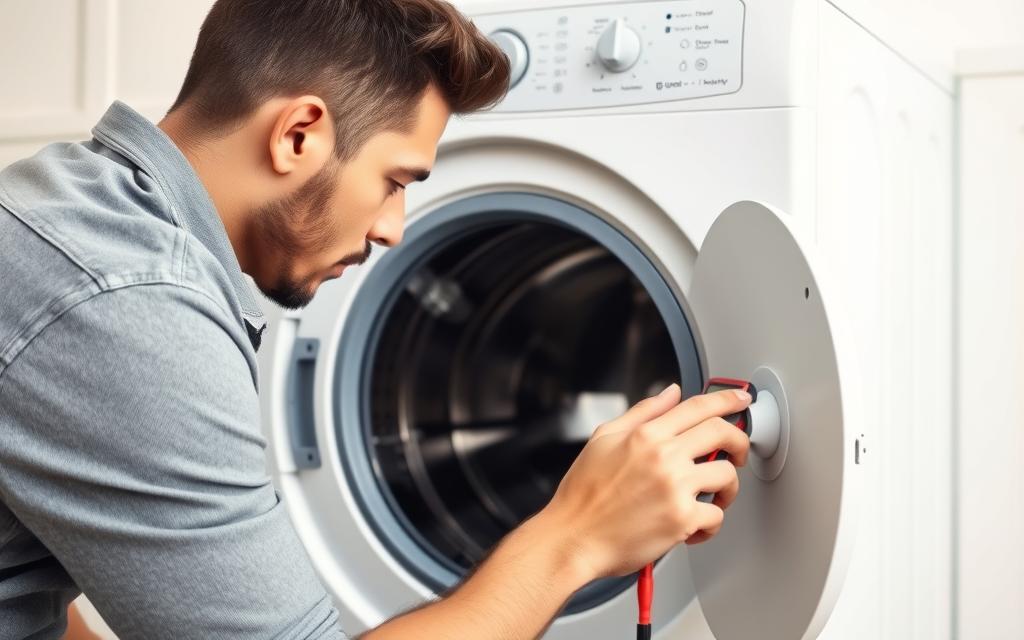
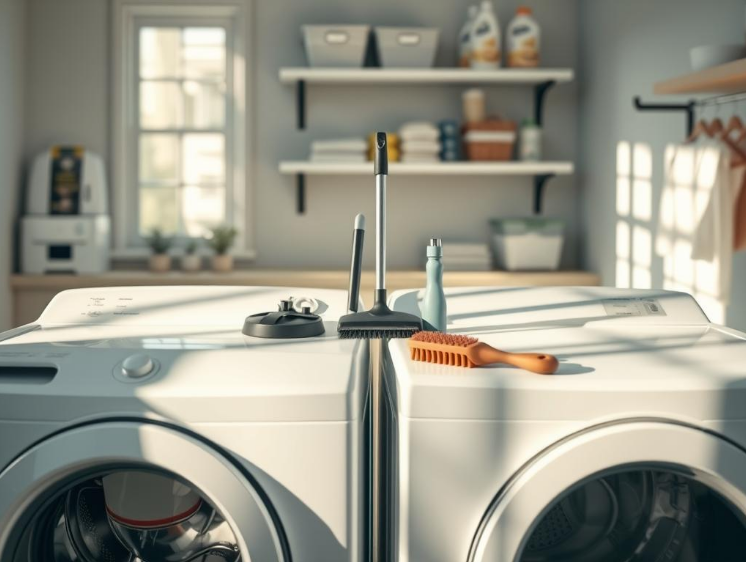
Monthly cleaning with recommended cleaner or white vinegar keeps it fresh. Run a hot wash with no clothes once a month. Always dry the drum and door seal of front-loaders after use.
Every 3–6 months, remember to clean the inlet screens, hoses, and pump filter. Check hoses for wear and tear and replace every five years. This helps avoid urgent error code lookups.
Make sure your washer is balanced and check the anti-vibration pads too. If it shakes too much, tighten any loose bolts and balance your laundry loads.
Choosing the right detergent and amount is crucial. Use only HE detergent for high-efficiency washers. Too much soap or additives lead to buildup, making you figure out error codes.
Don’t stuff the washer too full. Wash heavy items in separate loads and put small things in mesh bags. Yearly, check belts and drives for wear.
Always follow detergent instructions. Use a water softener or booster for hard water. This keeps you from having to troubleshoot errors.
If you notice strange smells or the washer stops unexpectedly, check the manual. It helps identify the error codes and decide if you can fix it yourself.
Stop guessing and get expert help if your washer keeps showing the same error codes. It’s okay to fix simple things like a clogged drain or tighten a hose on your own. But if problems keep coming back, it’s time to call in someone with the right tools and knowledge.
Seeing sparks, smelling something burning, or having the breaker trip are bad signs. Turn the power off and call a professional right away. Also, call for help if there’s water leaking or flooding, even after you’ve tried fixing hoses. Fixes for things like a bad motor or control board are best left to the experts.
Write down what fixes you’ve tried based on the manual before calling for help. This can cut down on the repair time. Plus, some technicians might not charge for figuring out the problem if they fix it while they’re there.
Always ask for a written estimate that shows the cost of parts and labor. Look at the prices for both OEM and aftermarket parts. And check their warranties. If you have a Samsung or Whirlpool, their authorized centers might offer better parts and warranties.
Read reviews on Angi, Yelp, and Google Reviews to find a good technician. Make sure they have the right certifications or are approved by the manufacturer. Choosing remanufactured parts can save money on repairs without skimping on quality.
Think about whether fixing or replacing the washer is the better choice. If fixing it costs more than half of a new one and it’s over seven years old, buying a new one might be better. To save on diagnostic fees, try simple troubleshooting yourself before the technician comes.
Washing machine error codes are like hints that help you find issues quickly. When you see these codes or strange messages, first check the user manual or visit Samsung, LG, or Whirlpool websites. Simple actions like restarting the machine, checking hoses and filters, and removing debris from the pump often solve small problems.
Always think safety first: turn off the power before you open anything, and make sure water is turned off to prevent leaks. It’s important to avoid high voltage parts. And always wear gloves and eye protection when dealing with filters or sharp edges. Keep a log of error messages and repeated codes; this info is really helpful for technicians working on the issue.
Be proactive: choose the correct detergent, clean filters often, and keep your manuals and model details close by. If you’re in the United States, have Samsung, LG, and Whirlpool support numbers ready, and note down any error codes before you call for help. Small repairs you do yourself can make a big difference. But for electrical or complicated fixes, call a pro to stay safe. Remember, safety is key to fixing washing machine issues effectively.