Our Location
1250 Beacon Street
Brookline, MA 02446
Is your robot vacuum stuck on carpet? Learn how to troubleshoot sensors, adjust wheels, and update maps for hassle-free cleaning.
It’s surprising, but true. Studies find that about 40% of navigation problems in robot vacuums are due to dirty or not aligned sensors. This is more common than them breaking down.
Are you having trouble with your Roborock, iRobot Roomba, Ecovacs DEEBOT, or Wyze vacuum on carpets? You’re not alone. Dirty sensors, hair, tangled wheels, map mistakes, and sometimes software issues can cause it to stop.
Fixing these problems can make your vacuum work better. It saves time, keeps the battery and motor in good shape. This guide will show you how to fix and maintain your robot vacuum. Then, it can clean more and need less help from you.
We’re going to talk about useful solutions. These include cleaning sensors and brushes, checking wheels, fixing carpet edges, updating software, and setting no-go zones. We’ll also tell you when to ask for help or get repairs.
Whether you want to make your robot vacuum clean carpets better, or fix jams yourself, these tips will help. They aim to make your vacuum work well again, without much trouble.
Many stops happen due to simple issues that we can fix. Understanding these problems can help fix your robot vacuum faster. This is true for brands like iRobot Roomba, Roborock, and Ecovacs.
Thick rugs or large thresholds might be too much for a robot vacuum. It might get stuck on the carpet. Low rugs can hide edges which mess with sensors or stop the wheels.
Soft carpet fibers can also make the rollers work too hard. This might make the robot overheat and stop cleaning.
Narrow spaces, hanging cords, or pet dishes can trap the vacuum. If your room is too cluttered, even smart vacuums can get tangled.
Putting the charging dock in a bad spot can cause more problems. If it’s on uneven ground or hidden, the robot might not be able to charge.
If sensors get dirty, the vacuum won’t navigate properly. This problem is common in brands like Ecovacs and Wyze.
Issues with software, like outdated maps or bad Wi-Fi, can also cause trouble. A good troubleshooting guide can show if it’s a hardware or software problem.
| Cause | Typical Symptom | Quick Fix |
|---|---|---|
| High-pile carpet or thick threshold | Wheels stall, robot gets stuck or won’t climb | Use low-pile mats, adjust thresholds, or choose a model with higher climbing spec |
| Soft or plush fibers | Reduced traction, motor strain, shutdowns | Limit cleaning to perimeter, shorten run time, remove deep rugs during full clean |
| Narrow furniture gaps and cords | Entanglement, trapped under furniture, frequent pauses | Tuck cords, move pet bowls, add felt pads to legs, create clear pathways |
| Poor dock placement | Docking failures, missed charges, interrupted cleaning | Place dock on flat, open floor with clearance on both sides |
| Dirty or blocked sensors | Erratic navigation, false cliff detections, stops | Clean sensors gently with a microfiber cloth and check for debris |
| Outdated firmware or mapping drift | Circling, abandoned maps, misplaced no-go zones | Run updates, restart the app, re-map the floor with clear Wi‑Fi |
Learning how a robot vacuum works is key for care and solving problems. This guide covers drive systems, sensors, and mapping tech. It helps you find problems early and fix them before they worsen.
Wheel Design and Mobility
Drive wheels and casters are essential for moving smoothly and avoiding obstacles. If wheels get tangled with hair or debris, the vacuum won’t move as it should. Motors that wear out reduce power and might need replacing.
Checking these parts regularly is important for keeping your vacuum moving well.
Importance of Sensors
Robots rely on many types of sensors to navigate and avoid falls. Dirty sensors can make the vacuum stop for no reason. Clean these sensors with a cloth every week to keep your vacuum running smoothly.
Changes in level or impacts can confuse your vacuum. It may show an error if it thinks it’s not on flat ground. Keeping sensors clean is crucial for solving navigation problems by yourself.
How Mapping Technology Works
Mapping helps your vacuum know where to clean using LiDAR, VSLAM, and AI. Sometimes maps can get messed up, making the vacuum clean the same spot over and over. Making a new map often fixes these glitches.
For homes with more than one level, use the app to set up different cleaning zones. This will help your vacuum clean more efficiently.
| Component | Primary Role | Common Problems | Quick Fix |
|---|---|---|---|
| Drive Wheels & Casters | Traction, climbing thresholds | Hair wrap, worn treads, stuck casters | Remove debris, replace worn wheels |
| Main & Side Brushes | Direct debris to suction, edge cleaning | Tangled hair, broken bristles, reduced pickup | Trim hair, swap to anti-tangle brushes like DEEBOT ZeroTangle styles |
| Cliff/Drop Sensors | Prevent falls from stairs | False drops from dirt or smudges | Wipe clean weekly with microfiber cloth |
| LiDAR / VSLAM / SLAM | Map creation and localization | Map drift, corrupted maps, repeated paths | Reset or remap, update firmware and app |
| Gyro & Tilt Sensors | Orientation and leveling | Miscalibration after impact or tipping | Reboot, recalibrate in app, service if persistent |
Remember these tips when troubleshooting your robot vacuum. Clean brushes, sensors, and updating maps are basic care practices. If these steps don’t work, the information you gather will help professionals fix the problem faster.
When a robot vacuum gets stuck on carpet during cleaning, a quick check can help. Use this short guide to inspect common issues before you call for support. Following these steps can clear jams, reset the system, and make cleaning smoother.
Check for blockages
First, turn the vacuum off and flip it onto a soft surface. Clean the main brush, side brushes, suction inlet, and wheels of hair and debris. Use a soft toothbrush or the recommended tool. If the dustbin is full, empty it. Robots like the DEEBOT OMNI, with auto-empty stations, help avoid this problem.
Clean the cliff sensors, optical lenses, and bumper sensors with a clean cloth. Make sure LiDAR modules and wheels spin freely. If a bumper is stuck, clean around it to free it.
Resetting the robot vacuum
To reset, try a soft reboot through the app or with the power button. If issues continue, follow your brand’s reset steps, like the Wyze factory reset. Sometimes, removing the battery or flipping the robot off can fix sensor errors. If you’re still having trouble after a reset, reach out to the manufacturer for assistance.
Restart your router and connect the robot to the correct network. Relaunch the app and fix any mapping errors. A stable app connection prevents unnecessary stops.
Adjusting cleaning schedules
Plan cleaning for bright days to help the robot’s visual sensors. Clear floors and avoid cleaning when pets and cords could block the robot. Short, regular cleanings help avoid unexpected traps.
Adjust cleaning times and frequency according to your routine. Minor changes can reduce interruptions and improve the robot’s map over time.
Small tweaks to your carpets can make a big difference. They help robot vacuums like iRobot Roomba and Roborock work better. This means they get stuck less, clean more efficiently, and need less fixing.
Reducing pile and thresholds
Consider trimming high-pile carpets or choosing thinner ones. Look for those that fit your vacuum’s climbing ability. Many brands list how high these vacuums can climb. Lowering carpet thickness makes it easier for robots to get around and clean better.
Taping down loose edges
Use double-sided tape or sleek rug grips for loose ends. This keeps the vacuum’s brushes and wheels from getting stuck. It also means you won’t have to stop it from getting trapped as often.
Using carpet tiles and low-profile runners
Opt for carpet tiles or slim hallway rugs. They create even surfaces and smooth edges. This helps vacuums move from wood floors to carpets without trouble. Plus, replacing worn spots is easier with tiles.
Area-specific strategies
In rooms with thick carpets, vacuum them traditionally first, or block them off in your vacuum’s map. This approach saves battery and keeps your vacuum running smoothly by avoiding tough spots.
Environmental prep
Before vacuuming, clear away small items and organize wires. Also, place pet dishes on stands. These steps prevent the vacuum from tangling and help it finish cleaning without interruptions.
| Adjustment | Benefit | Recommended Action |
|---|---|---|
| Reduce pile height | Less drag, fewer stalls | Trim or replace rugs with low-profile options |
| Secure edges | Prevents snagging of brushes and wheels | Use double-sided tape or rug grippers |
| Carpet tiles / runners | Predictable seams, gentle transitions | Install modular tiles or low-profile runners |
| Area-specific plan | Reduces rescue events | Run manual vacuuming or set virtual barriers |
| Environmental prep | Prevents cable and object entanglement | Clear clutter and raise pet bowls |
Good navigation makes a robot vacuum work better and stops frequent stops. Small updates to the app and planning maps well help fix problems. Before doing anything else, clean the machine and have it map in a quiet, bright room.
Updating robot vacuum firmware and the companion app can fix errors that mess up mapping and routes. Look for updates in apps like Roborock, iRobot Home, Ecovacs HOME, or Wyze. Update when the dock is close to your router and the battery is more than half full.
If your robot seems lost after an update, redo your maps. Delete old maps, map everything again, and make maps for each level of your house. Doing this stops mix-ups between floors that could stop the robot and make you troubleshoot more.
To keep your robot away from rugs, wires, and fragile things, use virtual barriers and boundary markers in the app. Brands like Roborock and DEEBOT let you block areas and set times when the robot shouldn’t go there. For older models, physical magnetic strips work too.
Create no-go zones in places where the robot gets stuck or says it’s stuck on carpet. This includes messy corners, stairs, and thick carpets. You might want to block off areas where kids play or pets are at certain times.
If the robot often stops or stays too close to walls, check its sensors. The lighting when it maps is important. A well-lit environment helps the robot create good maps. Move its dock to an open spot with enough space around it.
For ongoing navigation issues, try a short mapping run after making changes. Watch how it does for a few tries before changing boundary rules. This method makes fixing problems easier and keeps your cleaning routine steady.
Regular care keeps your robot vacuum running well. It helps prevent your vacuum from getting stuck on carpet. Follow the simple schedule below for easy maintenance.
Cleaning the Brushes and Wheels
Weekly or biweekly, remove hair and fibers from the brushes and wheels. Use scissors for tangles and a brush or compressed air on housings. When brushes wear out, replace them as brands like iRobot and Roborock suggest.
Keeping Sensors Free of Dirt
Clean sensors and edges with a microfiber cloth each week. Dirty sensors can make the vacuum move strangely. Brands like Ecovacs and iRobot say cleaning sensors often solves many issues.
Checking Battery Health
Keep an eye on the battery’s performance. Replace it if it won’t hold a charge. To reduce the risk of overheating, don’t let the battery drain completely and place the dock in a cool area.
Caring for the filters and dustbin helps with suction and cools the motor. Wash or swap out HEPA and foam filters every one to two weeks, depending on the type. Empty the dustbin after every use, or get an auto-empty base if you can.
Make sure the airflow is clear and check for blockages to avoid overheating. If the robot overheats and shuts down, let it cool down before checking the filters and suction path. Proper airflow prevents problems and keeps the robot working right.
Plan a maintenance schedule with tasks for every week, month, and half a year. Every week: check brushes, wheels, and sensors. Every month: give it a deep clean, inspect wheels, and wash filters. Every three to six months: check for parts that need replacing.
| Task | Frequency | Why It Matters |
|---|---|---|
| Brush and roller cleaning | Weekly or biweekly | Prevents tangles that cause jams and a robot vacuum stuck on carpet |
| Sensor wiping (cliff, LiDAR, bumpers) | Weekly | Reduces false drops and erratic navigation |
| Filter washing/replacement | 1–2 weeks (washable), 3–6 months (replace) | Maintains suction and keeps motors cool |
| Dustbin emptying | After each run | Ensures consistent cleaning power and airflow |
| Battery check | Monthly | Detects failing batteries that cause mid-run stops |
| Deep clean and wear inspection | Monthly to semiannual | Extends lifespan and reduces need to learn how to fix robot vacuum problems |
These robot vacuum maintenance tips will reduce interruptions. Your device will move around rooms and carpets better. Regular care also lowers the chance of your vacuum getting stuck and cuts down repair times.
If your robot vacuum keeps messing up, even after trying to fix it yourself, it’s time for expert help. Reach out to the manufacturer through their app for support. They can run tests, update software, or check your vacuum remotely.
Before you call for help, be ready with your vacuum’s serial number and where you bought it. Also, clearly explain what’s wrong and what you’ve tried to fix it. Companies might update your software, run remote checks, or send your vacuum in for repair.
Is your warranty expired? Look for repair shops that know how to fix robot vacuums. These places often fix motors, wheels, or batteries. You can also find genuine parts for brands like Roborock or Ecovacs.
Keep your vacuum’s purchase info handy to make warranty claims easier. Warranties usually cover factory mistakes but not if you drop it in water. They might replace it if something like the sensors stop working right.
If too much is broken and it might cost as much as a new one, consider getting a new vacuum. A newer model might not get stuck as much and could be easier to take care of.
Choosing the right cleaning setup depends on your floors, layout, and how much time you want to spend on upkeep. You have choices like heavy-duty uprights, nimble cordless sticks, and hybrids. Each offers its own blend of automation with strong suction or mopping. They all work well with robot vacuum maintenance tips and routines.
Brands like Hoover and Miele make upright and canister vacuums. They’re great for deep-cleaning carpets and stairs. Use these for deeper cleans every week or two, in places where robot vacuums can’t reach. Combining a traditional vacuum with a robot can make both last longer. This works well if you follow easy robot vacuum maintenance tips.
Dyson and Shark produce cordless sticks that are easy to carry and powerful. They are perfect for quick cleaning on carpets, rugs, and furniture. Place one near stairs and entryways for convenience. These sticks can clean edges and corners better than robot vacuums. So, they help make your cleaning process more thorough.
Some new hybrids, like the fancy Roborock models or Ecovacs with auto-empty docks, do more than just vacuum. They can vacuum, mop, and even climb better. They also handle various carpets and minimize tangles, saving you manual labor. When looking at these, check features like LiDAR mapping, anti-tangle brushes, and auto-empty stations to decide if they’re worth the cost and convenience.
For homes with lots of barriers, thick carpets, or complicated layouts, using a mix of devices is smart. Let a robot handle daily dusting, and use a cordless or upright for deeper cleans each week. This plan saves time and ensures deep cleaning, keeping costs sensible in the long run.
Think about the cost of replacements, warranty coverage, and customer service when picking a device. These factors are just as crucial as the device’s features for a hassle-free and effective cleaning routine.
Many robot vacuum owners have shared their stories. They often run into problems with their vacuums getting stuck on carpets or near rugs. Common issues include sensor errors, wheels not gripping, and the vacuum trying to dock even on smooth surfaces. These issues are found in many brands like iRobot, Roborock, and Wyze.
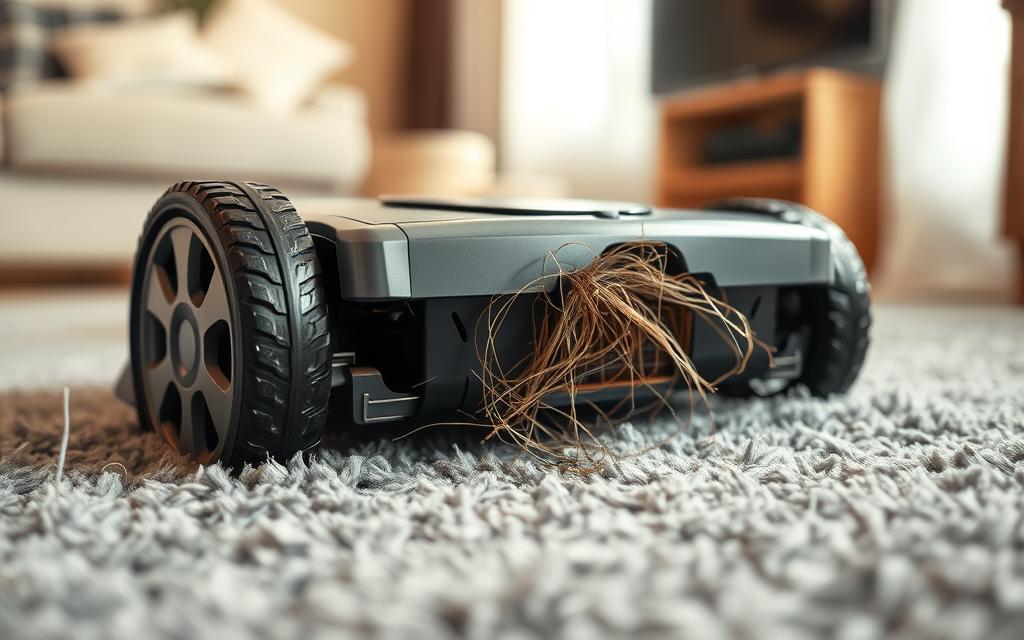
Users frequently find their vacuums docking due to uneven surface alerts. They also report wheels spinning in place or side brushes getting caught. Dirty sensors, low batteries, or errors in map navigation are typical causes mentioned.
Many have fixed their vacuums with a few steps. Cleaning sensors, resetting, or battery removal often work. Updating firmware or remapping the home can also help. If these steps fail, contacting the manufacturer may get a replacement unit.
Other owners offer helpful advice for fixing common issues. Tricks include turning the vacuum on and off or adjusting sensors manually. They also suggest moving the wheels to fix stuck parts. Isolating mapping problems can be done by using the vacuum without the app first.
If simple fixes don’t work, reaching out to the manufacturer is advised. The effectiveness of this often depends on whether the vacuum is still under warranty. Good customer support is highly valued, but help might be limited without a warranty.
Regular maintenance is key to preventing issues. Owners suggest keeping the floors clear, securing rugs, organizing cords, and updating the vacuum’s software. These steps can greatly reduce the chances of a vacuum getting stuck again.
Today’s market is full of robot vacuums suited for various homes and carpets. Choosing the perfect one involves looking at how well it maps, its suction strength, how it cleans edges, and the support it will get over time. Here are three brands to think about when you compare robot vacuums and their regular upkeep.
iRobot Roomba Series
Roomba is famous for reliable machines and a strong support network. Their models boast top-end mapping and sensors that prevent falls. To maintain steady navigation, it’s key to clean brushes and sensors often.
Roborock Models
Roborock stands out with its LiDAR mapping and smart path finding in new models. It’s important to update the app and firmware regularly to keep the mapping accurate. If you’re troubleshooting, checking the firmware is a good first step.
Neato Robotics and Others
Neato’s unique design makes it great at cleaning edges and along walls. Other brands offer good value and simpler designs. However, they might need more attention and parts replaced as time goes by.
| Brand | Strengths | Common Care Notes |
|---|---|---|
| iRobot Roomba | Robust support, reliable mapping, wide accessory range | Clean brushes and cliff sensors weekly; replace filters per manual |
| Roborock | Excellent LiDAR mapping, strong suction on higher models | Update firmware regularly; check wheels and brushes for hair wrap |
| Ecovacs/DEEBOT | Anti-tangle brushes, advanced obstacle avoidance, auto-empty options | Empty bins promptly; monitor mop stations and brush bearings |
| Neato & Other Brands | Edge cleaning design, budget-friendly models | Expect simpler sensors; follow a tight robot vacuum maintenance tips routine |
Choosing a brand impacts availability of parts, warranty, and local repair options. Online forums and the reputation of sellers can guide you through troubleshooting. Excellent customer service simplifies maintenance and fixing for busy families.
Choosing the right robot is key for carpeted homes. It’s important to match climb specs, anti-tangle brushes, and mapping technology to your floor type. Auto-empty docks and powerful motors are great for handling thick carpets and door thresholds, reducing the chances of getting stuck.
Consider your home’s layout and pet hair when picking a vacuum. A mid-range iRobot Roomba or Roborock can work well in many homes thanks to their good obstacle avoidance. For homes with thick carpeting, it’s a good idea to use a robot vacuum in combination with an upright or stick vacuum for deep cleaning.
Robot vacuums are great for daily cleaning but can’t replace deep cleans. Use the robot for everyday maintenance. For deep cleaning, especially on thick carpets, use a conventional vacuum. This mixed cleaning strategy solves many issues found in robot vacuum troubleshooting guides.
Regular maintenance can prevent most issues. This includes weekly checks on brushes and sensors, changing filters on time, taking care of the battery, and updating firmware. Following simple maintenance tips and consulting a troubleshooting guide is helpful. For more serious issues, like hardware or sensor failures, reaching out to the manufacturer or an authorized repair center is best. Upgrading to a model with better navigation may also help.
With smart mapping and preparation like taping rug edges and securing cords, you can keep robot vacuum mishaps to a minimum. For issues, start with basic fixes and then contact support if needed. This approach will help keep your daily cleaning routine easy and hands-free.