Our Location
1250 Beacon Street
Brookline, MA 02446
Learn how to test your fan's performance and execute a fan capacitor replacement with our easy-to-follow DIY guide for a quick fix.
Nearly 40% of home fan problems come from a tiny part: the fan capacitor. This small cylinder is crucial. It helps start a ceiling fan, HVAC blower, or outdoor fan. When it fails, the fan may not start or may run slowly. Replacing this part can fix the problem without needing a new motor.
In this guide, you’ll learn to identify a failing capacitor. You’ll see how to test it with a multimeter. You’ll also find out whether to replace it yourself or hire a pro. We provide steps for safe discharge and wiring. Plus, tips for choosing the right part by voltage and µF. We even cover the costs for fan motor capacitor replacement for major brands.
Working with capacitors is serious because they hold high-voltage charge. They must be safely discharged with the right tools. If you’re not sure, get help from a pro. This guide makes it easy. It includes instructions, troubleshooting, and maintenance tips. Follow these to keep your fan running well for many years.
This section talks about the role of a fan capacitor, its importance, and spotting issues early. Understanding these basics is key for troubleshooting and knowing when to replace a fan capacitor.
So, what’s a fan capacitor? It’s a small, cylindrical part that stores energy to help motors start and run smoothly. For a quick start, some systems use a start capacitor. For ongoing stability, a run capacitor is key. HVAC systems and many ceiling fans have separate capacitors for starting and running. Some outdoor units use dual-run capacitors, helping both the compressor and the fan motor.
Having a working capacitor is critical. A good start capacitor provides the initial power to turn the rotor. An efficient run capacitor keeps the motor running well, prevents overheating, and extends its life. Using the wrong capacitor can cause multiple problems, including motor and compressor damage. So, choosing the right capacitor and timely replacement are crucial.
How to tell if a capacitor is failing? Look for fans or ACs that won’t start, weird noises, and less air or warm air coming out. You might also notice the system starting hard, shutting down, making extra noise, or even a burning smell. Visible signs like bulges, cracks, or leaks are dead giveaways. A faulty start capacitor usually stops the system from starting. Running issues often lead to noise, overheating, and inconsistent performance. Capacitors typically last between 5 to 20 years, depending on their type and use. Failure can be caused by aging, too much heat, power spikes, lack of care, or harsh conditions.
If you spot these signs, start with basic capacitor checks before you think about replacement. Simple tests can show if the capacitor is the problem. This approach saves time and avoids unnecessary fixes.
Before starting on a fan, get the right tools ready. This prep makes replacing a fan capacitor quicker and safer. Here’s what you need and some extras that might make the job easier.
First, you’ll need a digital multimeter that measures capacitance in microfarads (µF) or a special capacitor tester. Make sure it can read the capacitor’s range. Use an insulated screwdriver to open terminal covers safely.
Needle-nose pliers are great for tiny connectors. A terminal puller or a small flat tool is useful for disconnecting spade connectors without hurting them. Don’t forget wire strippers and cutters to get replacement leads ready. A socket or nut driver set will help with fan housing screws and bolts. Keep some electrical tape handy for temporary insulation.
Marking wires with labels or tape and a marker helps avoid mistakes. Taking a photo of the wiring before you start can also help. A clamp meter can diagnose if the motor has other issues.
Bring extra spade or ring terminals, a small light for dark spots, and dielectric grease to protect terminals. HVAC pros often use special testers and tools for a quicker diagnosis and to make sure parts match.
Wear insulated gloves and use insulated pliers for safety. Safety glasses keep your eyes safe from sparks or debris. Wearing rubber-soled shoes helps lower the risk of electric shock. Always check the power is off with a voltage tester and use lockout-tagout to keep it off.
Be careful, capacitors can still be dangerous after turning off the power. Discharge the capacitor safely with the right tool before handling terminals. If you’re not sure, it’s best to call a pro; companies like Bryant train technicians to handle these safely.
Begin by ensuring safety. Turn off the main breaker’s power and check that the circuit is not live with a voltage tester. Wear insulated gloves and glasses for eye protection. Make sure to take pictures of the wiring and label each connection so you can put everything back correctly afterwards.
To test effectively, follow these steps. Open the fan’s cover or the HVAC panel to see the capacitor. Use an insulated screwdriver or a specific tool to safely discharge the capacitor. After that, you can disconnect the wiring plugs and separate the capacitor.
Next, adjust your multimeter to the capacitance setting, or use a capacitor tester. If the reading matches the capacitor’s rating, it’s probably in good shape. Without a capacitance function, switch your meter to ohms. Look for a quick change in resistance that goes back to infinity. This change indicates the capacitor is working.
Step-by-step summary:
When reading a multimeter, find the value like 5 µF or dual-run numbers like 45/5 µF. Capacitors show a plus or minus tolerance, often ±5–10%. Digital meters show µF directly. On analog meters, observe where the needle points. Use ohms testing as a last check, since measuring capacitance is more precise.
Understanding test results is easy. If the µF reading is way off the tolerance or very low, get ready to replace the capacitor. A reading of zero or an open circuit means the capacitor is no longer working. Also, visible damage like bulges, leaks, or burn marks with wrong readings indicates it’s time for a new one.
If the value is a bit low but still within tolerance, keep an eye on the device. Consider its age and how it’s performing before deciding on replacement. Be cautious with start capacitors as they store more energy. If unsure, always ask a pro for help with testing and replacing to ensure safety.
Knowing when to replace a capacitor can save you time and prevent bigger repairs. Small signs may show a part is failing. Look for startup issues, strange sounds, or less airflow. Use test results and visible damage to decide.
If your motor won’t start or needs a push, it’s a clear sign. Hearing humming or facing hard starts often mean the start capacitor is weak. Run capacitors may show less obvious signs like vibration or stopping too soon.
Signs like intermittent running, slower speeds, and weak airflow suggest a bad run capacitor. Overheating, a swollen case, leaks, or odd smells are urgent warnings. Catch these signs early to prevent motor damage.
Capacitors usually cost between $20 and $100. Adding labor, total replacement can cost $75 to $300. In general, replacing an AC capacitor might cost you $100 to $400. In Ontario, replacing HVAC parts and labor is typically $150 to $300.
Replacing a ceiling fan capacitor is cheaper if you do it yourself and buy the right part. For HVAC systems, expect to pay more for professional labor. It’s vital to match the correct voltage and microfarad (µF) rating. Using the wrong one can harm your motor or compressor and cancel warranties.
For best results, use parts approved by your manufacturer like Bryant, Lennox, Trane, Carrier, or Goodman. Spending a bit more for the right capacitor can save on future repairs.
Replace your capacitor if tests show it’s bad or if you see damage. If problems persist after testing, change the part. It’s smart to replace capacitors during yearly HVAC checks or before hot weather starts.
Replace sooner if your unit is old or had a recent power surge. Quick replacement can prevent costly compressor or motor failures.
Choosing the right part makes fixing fans fast and safe. Always check your old capacitor and fan manual first. Make sure the specs match and confirm the capacitor fits your fan. This prevents motor damage or reducing its lifespan.
Capacitors show values like microfarads (µF), voltage (VAC), and tolerance. Single-run types have one µF number. Dual capacitors show several numbers, for example, 45/5/5 µF for HVAC systems. You should match the µF rating correctly. Always pick a capacitor with the same or higher voltage.
The arrangement of terminals is important too. The labels C, FAN, and HERM must match your fan’s setup. Choosing the wrong capacitance or voltage can tire out the motor and lead to breakdowns.
Look at your fan’s guide or the old capacitor to find a perfect match. Ceiling fans and smaller motors often need single-run capacitors with exact µF values. HVAC systems outside require dual µF values as the manufacturer recommends.
If you care about your warranty, get parts approved by the manufacturer. Bryant dealers and official HVAC stores have OEM capacitors. These keep your warranty valid and make sure your fan starts right.
Shop at trusted HVAC suppliers, electric stores, or through authorized dealers. Amazon also works if you find reliable brands and check the seller. Pick capacitors from well-known makers that show temperature range and testing details.
Stay away from low-quality imitations. Quality parts last longer and handle heat better. If your item is still under warranty, always use OEM parts from approved dealers. This keeps your warranty safe and ensures your fan works smoothly.
Follow this clear, safe guide to replace your ceiling fan capacitor or work on an HVAC condenser. We’ll cover setting up your space, shutting off power, removing the old part, and installing a new one. This way, you’ll feel confident about replacing a fan capacitor.
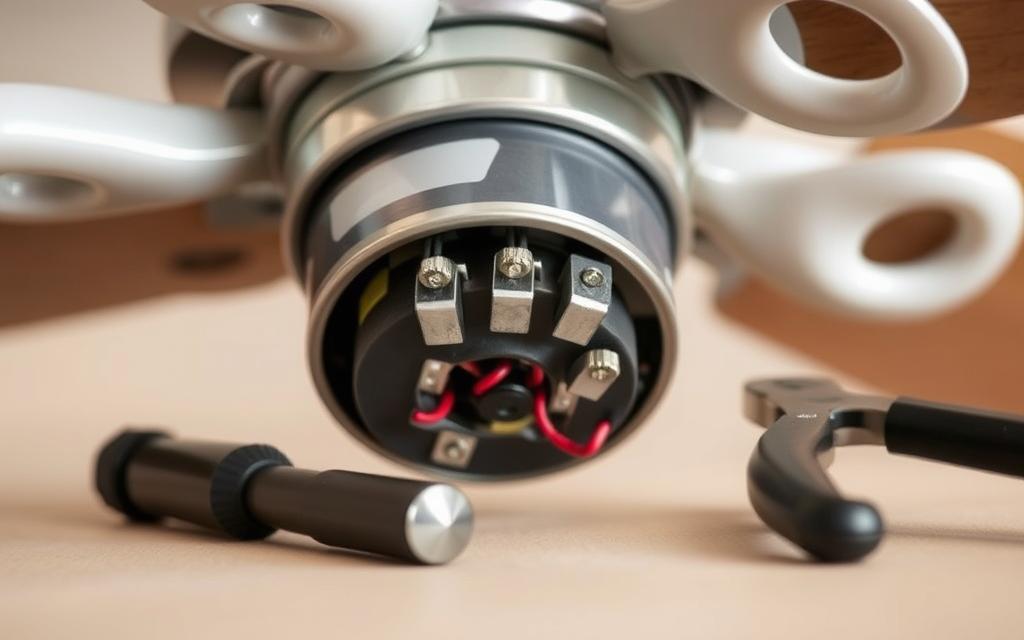
Preparing your workspace
First, make sure your workspace is flat and well-lit. You’ll need some tools like screwdrivers, nut drivers, pliers, insulated gloves, a voltage tester, and the new capacitor. Spread out a cloth to keep small parts in sight. Take pictures of the current wiring and label them to make reassembly straightforward.
If you’re fixing an outdoor condenser, clean around it and let it cool down before you start. Have a flashlight and a small container handy to keep screws safe.
Disconnecting the fan from power
Always turn off the power at the main circuit breaker first. Then, use a voltage tester to make sure there’s no electricity at the fan or condenser. If it’s an HVAC, turn off both the outdoor breaker and the thermostat to stop unexpected starts.
If you can, lock the power out. Double-check that the electricity is really off before you touch any wires.
Removing the old capacitor
Open the fan or condenser using the right tools. Look at your photos to identify each wire’s terminal. Snap a picture before disconnecting anything to remember how it was set up.
With insulated gloves and eye protection, short the capacitor’s terminals to discharge it. Use tools to disconnect the terminals and take the old capacitor out.
Installing the new capacitor
Make sure your new capacitor has the same µF and voltage ratings. Secure it well in its bracket. Use your photos to reconnect each wire correctly.
Check that all connections are snug and clean. You can put dielectric grease on the terminals to prevent corrosion. Put the cover back on and turn the power on. Try the fan to see if it works smoothly.
If the fan isn’t working right after you’ve done these steps, turn off the power and check everything again. Keep testing until the fan runs as it should.
| Step | Key Actions | Safety Notes |
|---|---|---|
| Prepare Workspace | Clear area, gather tools, photograph wiring, set parts tray | Work on flat surface, good lighting, keep gloves and goggles handy |
| Disconnect Power | Turn off breaker, use voltage tester, lockout-tagout if available | Confirm zero voltage before touching terminals |
| Remove Old Capacitor | Open panel, label terminals, discharge capacitor, remove connectors | Discharge while wearing insulated gloves and eye protection |
| Install New Capacitor | Match ratings, mount securely, reconnect labeled wires, test fan | Verify tight connections and proper terminal match before powering |
Working on a fan motor is simple with a careful approach. Read this guide first. It covers common errors in fan capacitor replacement and how to avoid them. This way, you won’t have to fix the same problems over again.
Overlooking safety precautions
Always check if a capacitor is discharged. Use a voltage tester for this. If necessary, safely discharge the capacitor using an insulated screwdriver. Make sure you’re wearing gloves and eye protection.
Never touch the terminals with your bare hands. Avoid working on circuits that are still powered. Skipping safety steps like lockout/tagout or using non-insulated tools raises the risk of shocks and can damage your equipment.
Ignoring compatibility issues
Make sure the μF and voltage ratings match exactly. Using a capacitor with the wrong ratings can overheat the motor or affect its performance. For dual capacitors, both sections must match the fan and compressor exactly.
Don’t use cheap, low-quality parts. They may not withstand heat well. Go for reputable brands that are designed for your system, like Goodman, Bryant, or Trane, to protect your warranty and ensure reliability.
Neglecting to test before reassembly
Always test the replacement before sealing everything up. Briefly run the fan to catch any wiring errors or defects. Check for any corrosion on mounting hardware. Make sure terminals are tight and correctly placed.
Not testing before reassembly causes unnecessary extra work. A simple test could save time and avoid the hassle of repeating the work.
| Common Error | What to Check | Quick Fix |
|---|---|---|
| Assuming capacitor is safe | Measure voltage, then discharge with insulated tool | Use a voltage tester and insulated discharger; wear PPE |
| Wrong µF or voltage rating | Compare markings on old capacitor and fan plate | Replace with exact match or OEM equivalent |
| Using cheap replacements | Check temperature rating, brand reputation, warranty | Buy name-brand or certified replacements |
| No pre-reassembly test | Power on briefly, observe start/run behavior | Test fan operation and recheck wiring before closing |
| Loose or corroded terminals | Inspect terminals, clean corrosion, tighten connections | Replace connectors or clean contacts and secure |
After repairing, follow a clear troubleshooting routine: check the power, verify the capacitor values, and listen for unusual noises or check for overheating. Identifying fan motor problems early saves time and prevents unnecessary repeat visits.
Keep fans running smoothly by doing regular upkeep. This will save you money. Small checks can find issues like worn parts or dirt. This helps extend the life of your fans.
Every few months, dust off fan blades and motors. Use a soft brush and vacuum. This prevents stress on the fan parts.
Change or clean HVAC filters every month. It keeps the air moving and lessens the work on the system. Remove plants and trash around outdoor units to boost cooling.
Get a yearly HVAC check before it gets hot. Technicians will take care of the fan and look for early problems.
Have a multimeter and a capacitor tester ready for quick checks. Use contact cleaner and a toolkit to keep connections good and lessen rust.
Take pictures of wiring before you take anything apart. Have extra capacitors for quick fixes at home.
If you’re not sure how to safely fix something, or if it’s still under warranty, call an expert. Bryant dealers and local contractors can help with warranty issues.
If there are compressor problems or ongoing issues after you try to fix it, have a professional look at it. This is important for safe repairs and avoiding extra costs.
When you replace a capacitor, a quick check can help you a lot. First, make sure the power is off. Then, make sure your wiring is just like it was before, using photos or labels. Ensure the new capacitor’s ratings match the old one’s.
What to do if the fan doesn’t work
Start by double-checking the wiring and how tight the terminals are. A loose wire often stops the fan from starting. Then, check the circuit breaker or fuse, and the HVAC settings.
If you replaced the fan motor or start capacitor and it’s working right, the issue might be motor or relay damage. If so, you should stop what you’re doing. It’s best to call a pro to avoid any harm.
Diagnosing other potential issues
Some problems seem like a bad capacitor but aren’t. This includes dirty air filters, AC leaks, or rusty connections. Use a multimeter to test motor windings. A clamp meter can show if the motor is using too much power, which is bad.
Also, look for rusty terminals and make sure the thermostat works right.
Rechecking your work
Before you finish, double-check the capacitor with a multimeter. It should match the spec. Make sure it’s mounted well and isn’t touching any metal. Finally, turn the power on for a short time and listen.
If you hear weird noises or the fan acts up, turn everything off. Then, get in touch with a professional. It’s better to be safe than sorry.
| Check | Tool | Action |
|---|---|---|
| Wiring and terminals | Screwdriver, visual inspection | Match labels/photos, tighten terminals |
| Capacitor value | Multimeter with capacitance | Confirm µF and voltage equal original part |
| Power supply | Breaker panel, fuse tester | Verify breaker/fuse and control voltage |
| Motor windings | Multimeter (ohms) | Check continuity for open or shorted windings |
| Current draw | Clamp meter | Compare running amps to motor nameplate |
| Mounting and clearance | Visual and manual check | Ensure vibration-free, no grounded contact |
Here are simple answers to your top fan capacitor questions. You’ll find advice you can use right away.
A fan capacitor typically lasts from 5 to 15 years. If it’s a HVAC-grade capacitor and placed in a well-ventilated area, it might last from 8 to 20 years if conditions are perfect. However, its lifespan may be reduced by heat, constant on-off cycles, power surges, and limited airflow.
If you’re good with DIY projects, you can replace a small ceiling fan’s capacitor. You need basic tools and to know how to safely handle the capacitor’s charge. Make sure to follow the correct steps carefully.
For more complex systems like HVAC or if your product is still under warranty, it’s best to hire a specialist. Companies like Bryant and Carrier suggest using professionals to keep your warranty valid and to ensure safety and accuracy.
If you can’t find the exact capacitor, ensure the microfarad (µF) value matches. Also, the voltage rating should be the same or higher, and it needs the correct terminal design. Buying from trusted HVAC suppliers, authorized dealers, or directly from the manufacturer reduces the chance of getting the wrong part.
For products under warranty, reach out to the manufacturer or an authorized dealer. This way, you get the right OEM part without risking your warranty.
Spotting a bad capacitor is key to fixing your fan right. You might notice the fan struggles to start, makes loud noises, shakes strangely, or the motor gets too hot. To be sure, test it using a multimeter. Compare its readings with the expected µF and voltage values.
When choosing a new capacitor, make sure it has the same µF and voltage. Pick reliable brands like Panasonic or GE if you can. Safety first: turn off the power, discharge the capacitor, mark and disconnect the wires, then put in the new capacitor and check if it works.
Swapping capacitors is an affordable way to fix fans that won’t start or HVAC problems. Remember, capacitors can be dangerous since they store energy. If you know how to handle electrical work and have the tools, you can probably fix your ceiling fan. If it seems too tough, get a pro like an HVAC tech or authorized dealer.
Regular check-ups can spot problems early, saving you from bigger, costly repairs later. With the right care, the right parts, and simple tests, many fans work like new quickly. This makes fixing capacitors a great DIY task that saves money and keeps your home running smoothly.