Our Location
1250 Beacon Street
Brookline, MA 02446
Discover the steps to diagnose and fix a microwave turntable not spinning, including how to accurately test and replace a faulty coupler.
About 25% of microwave users have turntable issues at some time. If your microwave plate isn’t spinning, your food might not heat evenly. This might lead to wasted meals. If your microwave turntable stops turning, it could be the coupler’s fault. With some simple steps and DIY skills, you can often fix this problem.
This guide will show you how to find and fix the issue with your microwave turntable. From checking if your microwave is powered correctly to looking for clear damage, these steps are simple. They can prevent the cost of replacing your microwave’s carousel. Let’s learn how to troubleshoot microwave rotation issues and make your plate spin again!
The microwave turntable mechanism is key for evenly cooked food. It works through a drive motor that makes the turntable spin. This spinning helps spread the heat properly, which is crucial for your microwave to work right. Knowing how this mechanism works is handy when the turntable stops spinning, and your food heats unevenly.
The turntable system is straightforward yet powerful. Once you start the microwave, the motor spins, connecting with the coupler. This action makes the turntable rotate, making sure the food cooks evenly. A turntable that works well means better cooked meals.
Microwaves come with different turntable styles to meet various cooking needs. Some have rotating trays, while others have a stationary platform with high-tech heating. Commercial microwaves may not have spinning turntables but are made for special uses. Knowing the differences helps pick the best microwave for what you need.
Microwave turntables may stop working for different reasons. It’s key to figure out why. Looking at coupler issues, motor problems, and electrical failures is a good start. This way, you can fix the problem fast and effectively.
Wear and tear can lead to coupler issues. This means your coupler could crack or get out of line. When the coupler is damaged, it messes up how the motor and turntable connect. This can make the turntable act weirdly or not work at all. Checking the coupler often can help stop big problems later.
Motor issues can also cause trouble for turntables. You might notice the turntable spinning weirdly or not moving. This happens if the motor isn’t working right, which can be annoying. Figuring out the motor’s issue is key to getting your turntable to spin properly again.
Electrical issues can really affect your turntable’s performance. Problems with wiring or the power source can stop the motor from getting the power it needs. It’s vital to fix these electrical issues quickly. This helps get your microwave back to working right.
Knowing when your microwave is failing can save you time and avoid annoyance. If the microwave plate won’t spin, it’s often a clear sign something’s wrong with the turntable. You might also notice your food isn’t cooking evenly. Plus, strange sounds from your microwave could mean there’s a mechanical problem.
If your microwave plate isn’t spinning, there’s likely an issue. It could be the turntable coupler or motor causing the problem. Catching this early can help avoid bigger issues with your microwave later.
Uneven heating in your microwave is another sign. If some food spots are hot and others cold, the turntable might not be spinning right. This causes heat to spread unevenly.
Listen for odd noises, like grinding or loud humming from your microwave. These sounds can point to mechanical problems or motor troubles. Fixing these issues quickly can help stop bigger problems.
| Symptoms | Possible Causes |
|---|---|
| Microwave plate not moving | Faulty coupler or motor |
| Uneven heating in microwaves | Turntable malfunction or improper power supply |
| Unusual noises from microwave | Mechanical failures or motor issues |
The turntable coupler is key to your microwave. It connects the motor to the turntable for smooth spinning. Knowing how to check it means your microwave works well. Here, we’ll show you how to properly check your microwave’s coupler.
A microwave’s turntable coupler is a small part at the turntable’s bottom. It connects to the motor shaft. This part makes sure the turntable spins, heating food evenly. If the coupler wears out or gets damaged, the microwave won’t work right. So, it’s important to know how to check the coupler.
It’s important to know about the microwave turntable motor. This motor makes sure the turntable spins. This helps your food cook evenly. You must know where the motor is before you can test it.
Finding the motor is the first step to test it. Look under the turntable. This is where it’s usually located, attached to the coupler. You might have to take off the turntable and the microwave’s cover. This lets you see the motor to start checking motor functionality.
Use a multimeter for testing the microwave motor. Make sure the microwave is unplugged first. This keeps you safe. Set your multimeter to measure continuity, and test the motor’s terminals. Continuity means the motor should be working fine. Also, listen for any strange sounds when the microwave is on. Odd noises can mean the motor is going bad. Put the microwave back together once you’re done.
Checking your microwave regularly is wise. It can make it last longer. It ensures it cooks your food properly and keeps the turntable working right.
Electrical problems can really affect how your microwave works, especially the turning part. It’s helpful to know how to check if electricity is reaching your microwave. It’s also key to look at the wires inside. This can help you figure out what’s wrong quickly. Dealing with these issues promptly can stop them from getting worse.
Start simple when you’re trying to figure out the problem. Make sure the microwave is properly plugged in. Then, see if the outlet works by plugging in a different device. If your microwave still won’t work, the trouble could be with the electric circuit or inside the microwave itself.
Once you’ve checked the power supply, look at the microwave’s wires. Problems like loose connections, rusty wires, or broken parts can stop electricity from reaching the turntable. Open the microwave’s case with care. Keep an eye out for any signs of damage that could affect how the microwave works.
| Potential Issues | Symptoms | Suggested Actions |
|---|---|---|
| Unplugged appliance | No power | Plug the microwave back in |
| Defective outlet | Outlet not working | Test outlet with another device |
| Damaged wiring | Intermittent power | Inspect internal wiring for damage |
| Faulty switches | Microwave doesn’t start | Replace faulty switches |
Knowing when to replace your microwave’s coupler can save you time. It also ensures your food cooks efficiently. Spotting the signs early helps prevent bigger problems later on. Pay close attention to the coupler’s condition to know when it’s time for a change.
Watch out for clear signs that your coupler needs a switch. Keep an eye out for:
It’s key to get a coupler that fits well for the best cooking. Here’s how:
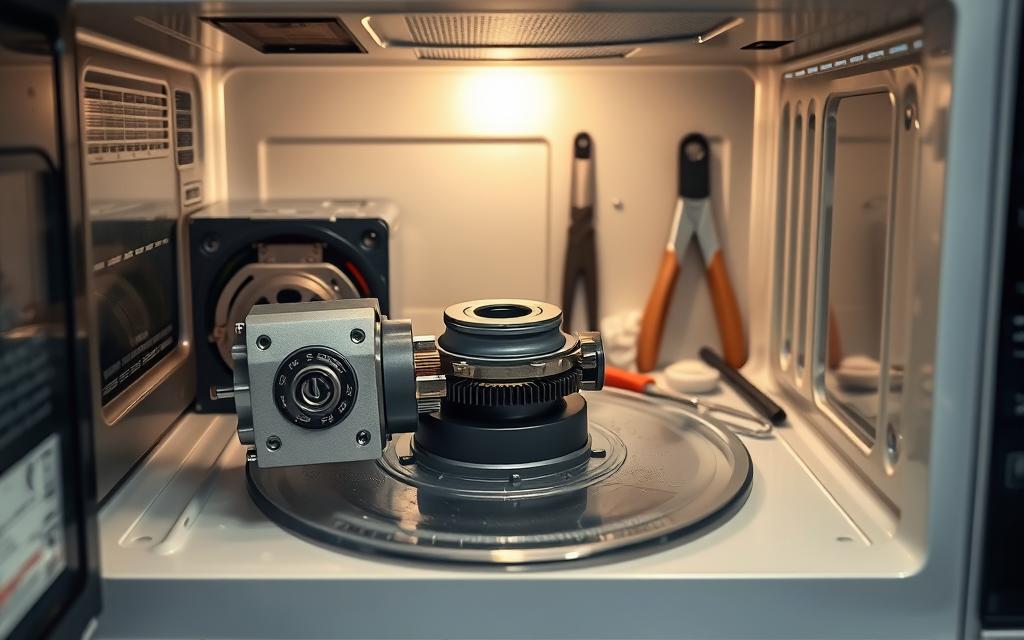
Swapping out the turntable coupler in your microwave is pretty simple. You just need the right tools and a good guide. Let’s make sure you have everything ready for a smooth coupler change.
Keeping your microwave working well means doing some simple things. Good habits can make a big difference in how long it lasts. Here are important steps to keep your microwave running smoothly.
To stop food bits and stains from building up, clean your microwave often. A dirty microwave can work poorly and smell bad. For a clean microwave:
Having a cleaning schedule keeps your microwave safe and stops problems with turning parts.
Not putting too much in your microwave helps it heat evenly and work better. Overloading can break parts and make it not work properly. To avoid putting too much in:
Knowing what your microwave can handle improves how it works and stops extra wear on its parts.
Knowing about turntable issues can help buyers choose wisely. Some microwaves struggle with specific turntable problems more often. Understanding these problems helps in maintaining your microwave or picking a new one.
Many famous microwave brands are known for turntable issues. These include:
Some models from these brands have common turntable issues. It’s good to know these issues when looking at microwaves:
| Brand | Model | Common Issue |
|---|---|---|
| GE | Profile PEM31SFSS | Turntable motor failure |
| Samsung | ME21M7060CG | Coupler instability |
| Whirlpool | WMH31017HS | Uneven heating due to turntable issues |
| LG | LMV2031ST | No movement of turntable |
| Panasonic | NN-SN966S | Delayed movement of turntable |
It’s not always easy to know when to call a repair technician for microwave troubles. Many try to fix small issues themselves before asking for professional help. It’s important to recognize the signs of big problems. This can save time and avoid more damage. Look for unusual noises, error messages, or electrical issues as clues you might need an expert.
Before you call a technician, take a good look at the problem. Figure out exactly what’s wrong. If simple fixes don’t work, you might need special skills or tools. Watch for signs like your microwave not heating properly or not turning on. These problems can get worse, leading to the need for a professional’s opinion.
Think about the cost of professional repair versus trying to fix it yourself. Some repairs, like swapping out a part or cleaning, can be done at home. But, harder problems like motor or wiring issues, are more expensive and risky to fix on your own. Consider how comfortable you are with DIY fixes against the cost of hiring pros.
In ending this guide on fixing your microwave, let’s review the key points we covered. We learned about the turntable system and how to check the coupler and motor. These tips can help you fix common problems, saving you time and money while keeping your microwave running well.
Keeping your microwave in top shape is crucial. Regular cleaning and checking parts for wear will keep it working well. By doing these things, you’ll make your microwave more reliable and longer-lasting.
As you look after your microwave, remember that small routine checks can make a big difference. If troubles keep up, getting professional help is a good idea. But often, simple solutions can greatly improve how your microwave works. Pay attention to what your appliance needs to keep cooking efficiently for a long time.