Our Location
1250 Beacon Street
Brookline, MA 02446
Learn to fix stick vacuum overheating by checking filters, rollers, and bearings. Ensure your cleaner runs smoothly with our easy guide!
It’s surprising but true: the U.S. sells about 40–50 million vacuum cleaners yearly. Many homeowners have a vacuum that stops working because it gets too hot during use.
This piece offers easy-to-follow advice for fixing stick vacuums. We’ll talk about the usual problems—things like filters that are blocked, brush rollers that are tangled up, and bearings that are worn out. These issues can cause your vacuum to overheat.
Here’s a straightforward checklist for keeping your stick vacuum running smoothly. It includes quick checks, easy cleaning tips, and signs that you might need to call in a pro.
Stick vacuums can overheat for several reasons. Things like small blocks, dirty filters, or a full dustbin reduce airflow. Hair tangled on the brush roll or stuck bearings cause extra resistance. For battery-operated models, worn-out batteries and using them too long can also lead to overheating. Issues like damaged belts and motor problems can make the vacuum too hot.
Air can’t move freely if filters are clogged or hoses are blocked. This makes the motor overwork. Things like fibers caught in brush rollers slow them down, adding stress. Running the vacuum without breaks increases heat. Older batteries in brands like Dyson, Shark, or Hoover can make overheating worse. Electrical issues in the motor can cause sudden high temperatures.
If your vacuum suddenly stops, it might be due to its thermal cut-out feature. Less suction and odd smells of burning are early warnings. Noises, stuck rollers, or batteries that drain fast show it’s under too much strain. Smoke or a very hot vacuum surface means turn it off and let it cool down right away.
Not fixing heating issues can damage the motor and battery. Overheat protection might save it once, but over time, damage can occur. Regular maintenance reduces repair bills and keeps it working right.
Follow easy safety tips every few weeks to avoid overheating. Clean out any debris, change or clean filters, fix tangled brushes, and let it rest after big jobs. If problems keep happening, check airflow, brushes, and batteries closely. Still overheating? Get it checked by an expert to save money in the long run.
Clean filters are critical for smooth airflow and cool motors. This guide shows you how to identify different filter types, clean them properly, and when to replace parts. This prevents stick vacuum overheating.
Stick vacuums might have foam, sponge filters, cartridge filters, or HEPA filters. Brands like Dyson and Shark often use multilayer filtration. Some filters are washable, but others need to be replaced regularly. Always refer to the manufacturer’s manual for specific instructions.
First, remove the filter as the manual instructs. Gently tap it over a trash can to remove dust. Then, rinse any washable filters with cold water. Let them dry fully before putting them back. Avoid using soap unless the manual says it’s okay. Replace filters that can’t be washed as often as the manual recommends. This keeps your vacuum running well.
Time to replace filters if suction remains weak, filters look worn, or washing doesn’t help. Overheating or frequent shutdowns also suggest you might need new filters. These signs mean the current filters may be clogged or damaged.
Having an extra filter means you won’t use the vacuum with a wet or dirty filter. Following a simple maintenance routine helps your vacuum run better and last longer.
Rollers are crucial in a stick vacuum’s ability to clean well. They need to spin without trouble for effective cleaning on carpets and floors. If they get stuck, the vacuum’s motor works too hard, which can cause overheating. Regular maintenance can help avoid these issues and expensive repairs later.
Hair, strings, and other debris can wrap around the vacuum’s roller and stop it from moving. This makes the motor overwork and use more power. Such strain can increase heat inside the vacuum, leading to potential overheating. Certain brands like Dyson, Shark, and Hoover have a safety feature to prevent damage.
It’s time for a new roller if its bristles are worn down or if it’s bent. Also, replace it if it doesn’t spin after you’ve cleaned it. Not doing so can lower how well your vacuum sucks and may lead to overheating. Brands like Black+Decker, Bissell, and Miele offer specific advice for replacing parts.
Bearings are small rolling elements found in brush roll end caps and motor assemblies. They let shafts turn with minimal friction. They support the roller shaft, align parts, and make the brush roll spin smoothly. Healthy bearings reduce motor load and extend your vacuum’s life.
In a stick vacuum, bearings are placed at the brush roll ends and inside the motor. They cut down friction between moving parts. This allows the roller to spin freely, lowering motor strain and heat buildup.
Listen for grinding or squealing noises from the brush head. These sounds often mean bearings are failing. If the roller sticks or shows wobble, the bearings might be worn.
Look out for repeated thermal shutdowns or a hot motor. These issues can also come from clogged filters or tangled hair. But worn bearings add drag, causing overheating.
First, make sure to disconnect power or take out the battery before touching the brush roll. This prevents accidental start-ups. Then, remove the brush roll and clean away hair and debris from the end caps and bearing areas.
If it’s allowed, you can put a light silicone-based lubricant on the bearing races. Always use products meant for small appliances. Replace the bearings or end cap if you notice rust, pitting, or rough movement.
When buying parts for stick vacuum repair, try to get those made by the vacuum’s manufacturer. Brands like Dyson, Shark, Hoover, and Bissell have the right-fit components. If it’s under warranty, reach out to an authorized service center to keep your coverage. Non-warranty options include independent shops with quality parts for well-known models.
This maintenance guide says to check your bearings regularly. Do a spin test and inspect them every few months. This stops minor problems from damaging the motor.
Modern stick vacuums come with advanced safety features. They protect the motor and keep our homes safe. Dyson and Shark have thermal cut-outs that stop the vacuum if it gets too hot. This prevents permanent damage and reduces fire risk from an overheated motor.
It’s important to know how these safety systems work. A thermal cut-out may turn the vacuum off or reduce its power until the motor cools down. Clogged filters, blocked airflow, or a stuck brush roller can cause the motor to overheat. Following safety tips can help avoid triggering the thermal cut-out.
Many vacuum models give signs when overheat protection kicks in. Some reduce suction to ease motor strain. Others turn off and must cool down before you can use them again. These features are designed to stop the vacuum’s internal parts from failing.
Look out for flashing lights, status LEDs, or display panel error codes. Beeps or sudden loss of power usually mean the vacuum is overheating or blocked. Check your manual or the manufacturer’s website for what these signals mean and how to reset them.
When the vacuum shuts down, unplug it or take out the battery. Check and clean the filters, hoses, and brush rollers. Let it cool down completely before turning it on again. These steps can fix common problems and keep your vacuum working safely.
If problems continue after you clean it, don’t keep trying to turn it on. Continuous use when it’s hot could harm the vacuum and might void your warranty. For further help, get in touch with authorized service centers or the manufacturer’s support team.
Start by calmly checking your stick vacuum for issues. Look for signs like less suction, strange smells, quick shutdowns, or loud noises. Each sign points to a different problem. It’s important to find the cause before fixing it.
Note if the vacuum shuts down or has weak suction. Also, watch for burning smells or odd sounds. Write down when these problems happen and the vacuum’s runtime before issues start.
Check the stick vacuum’s power source. Make sure the outlet works or the battery is full. Look at the cord for any damage. If you know how, use a multimeter to do more checks.
Empty the vacuum’s dustbin or change the bag. Often, doing this can fix airflow problems and get the vacuum running well again.
Look at the filters. Clean them if they’re washable, or replace them if they’re clogged.
Check the hose, wand, and nozzle for blockages. Use something long like a brush or broomstick to remove stuck debris carefully.
Take out the brush roll. Remove any hair or dirt, check the belt, and spin the roller. This ensures everything moves smoothly.
After checking everything, put the vacuum back together. Then, test it. Look for signs of overheating or warning lights to see if the problem is still there.
Cleaning or changing clogged filters and emptying the dustbin can help airflow. This often fixes overheating issues quickly.
Remove blockages in the hose, wand, and nozzle. Cleaning the brush roll also helps. This lessens the motor’s work and heat buildup.
Change old belts, broken rollers, or bad batteries in cordless models. A failing battery can shut the vacuum off suddenly, similar to overheating.
If the vacuum overheats, let it cool down. Then, follow the maker’s instructions to restart it. This avoids damage from too much heat.
If overheating doesn’t stop after you’ve checked the filters, blockages, and roller, contact a service center. Continuous overheating might mean there’s a bigger issue with the motor or wiring.
If you hear grinding or rumbling, it might be a bearing issue. A pro can look inside and fix it so it doesn’t get worse.
If you see sparks, smell burning, or notice the power cutting in and out, get help. These are signs of electrical problems that need a pro’s touch.
| Symptom | Likely Cause | DIY Fix |
|---|---|---|
| Sudden shutdown | Thermal cut-out, battery failure, clogged airflow | Let cool, charge/replace battery, empty bin and clean filters |
| Reduced suction | Clogged hose, full bin, dirty filters | Clear blockages, empty dustbin, wash or swap filters |
| Burning smell | Overheated motor, belt slipping, electrical short | Turn off, inspect belt and roller, seek professional repair if smell continues |
| Loud grinding or rumble | Worn bearings, damaged roller | Remove brush roll, clean and inspect bearings; replace parts if needed |
| Short runtime (cordless) | Degraded battery | Replace battery per manufacturer guidelines |
When picking a stick vacuum, think about both immediate and long-term needs. Choose models that simplify maintenance tasks. This is because proper care prevents overheating and prolongs the life of the motor. Use these tips to weigh up different features, services, and designs before purchasing.
Opt for vacuums that have washable filters you can reach easily, along with straightforward cleaning directions. This helps maintain strong suction and fits with any maintenance guide you use.
Seek out brush rolls designed to avoid hair tangles or those with easily removable bars. This makes cleaning them quick. A brushed free of tangles reduces wear and heat.
Go for models featuring thermal protection and easy-to-understand indicator lights or codes. These elements offer essential safety advice directly on the vacuum.
When considering cordless vacuums, look for models with replaceable batteries or ones that promise long battery life and safe charging. Being able to replace the battery makes maintenance easier and extends the vacuum’s usability.
Examine the design for efficient airflow. Light models with proper ventilation around the motor and clear air paths minimize the chance of clogs and overheating.
Dyson stands out for potent suction and comprehensive maintenance instructions. Their guides assist owners in keeping up with recommended maintenance accurately.
Shark and Hoover present a good balance between cost and ease of repair. Bissell and Miele are praised for their availability of parts and sturdy construction. Electrolux offers robust designs that are easy to maintain.
Before making a purchase, take time to read through specific reviews and the manual for each model. Ensure there’s a local support network and that parts like filters and rollers are easy to get. Doing this ensures you make a wise choice and adhere to important safety practices.
Make sure to keep up a good care routine to keep your vacuum running smoothly. This easy guide for stick vacuum upkeep will help you prevent damage and keep your vacuum working well. Do simple steps every week and more thorough checks every season for the best care.
Always empty the dustbin when it’s full or after using it. If the bin gets too full, the airflow gets blocked, and the motor could get damaged.
Remove any hair and dirt from the brush roll regularly. Also, check if the belt needs to be tightened or replaced because it’s worn out.
Every month, check the pre-motor filters. Clean the ones you can wash, and make sure they’re fully dry before putting them back. This prevents mold and keeps your vacuum working right.
Look through the hose, wand, and tools for any clogs and clean them out quickly. Doing these easy tasks regularly is key to keeping your vacuum in good shape and avoiding overheating.
Change or clean out the filters every 6 to 12 months based on what the maker suggests. Clean filters help the airflow and protect the motor.
Check if the bearings and brush roll ends are wearing out. Use lubricant where you can and replace any parts that are too worn or noisy.
For vacuums with no cords, check the battery’s health and follow the best ways to charge and store it. Taking care of the battery helps it last longer and keeps the vacuum running well.
Before times when you’ll use the vacuum a lot, like the holidays, look over the belts and rollers. Fixing worn parts before a busy time can stop overheating caused by parts not working right.
| Task | Frequency | Why It Helps |
|---|---|---|
| Empty dustbin | After each use | Prevents airflow restriction and motor strain |
| Clean brush roll | Every few uses | Removes hair that causes drag and overheating |
| Inspect and wash filters | Monthly (washable); replace 6–12 months | Maintains suction and protects internal parts |
| Check hose and attachments | Monthly | Clears clogs that reduce performance |
| Inspect bearings and end caps | Quarterly or if noisy | Ensures smooth rotation and prevents seizing |
| Test battery and charging habits | Quarterly for cordless models | Extends battery life and prevents power-related overheating |
| Store in dry, ventilated area | Ongoing | Prevents moisture damage and keeps components dry |
It’s smart to keep extra filters, belts, and some basic tools around. Having a simple guide for vacuum care like this one helps you avoid problems and keeps your vacuum from overheating in the long run.
Making a choice on upgrading a stick vacuum involves safety, cost, and the value over time. Ignoring small warnings might lead to bigger problems. Having a clear strategy helps decide between fixing or getting a new one.
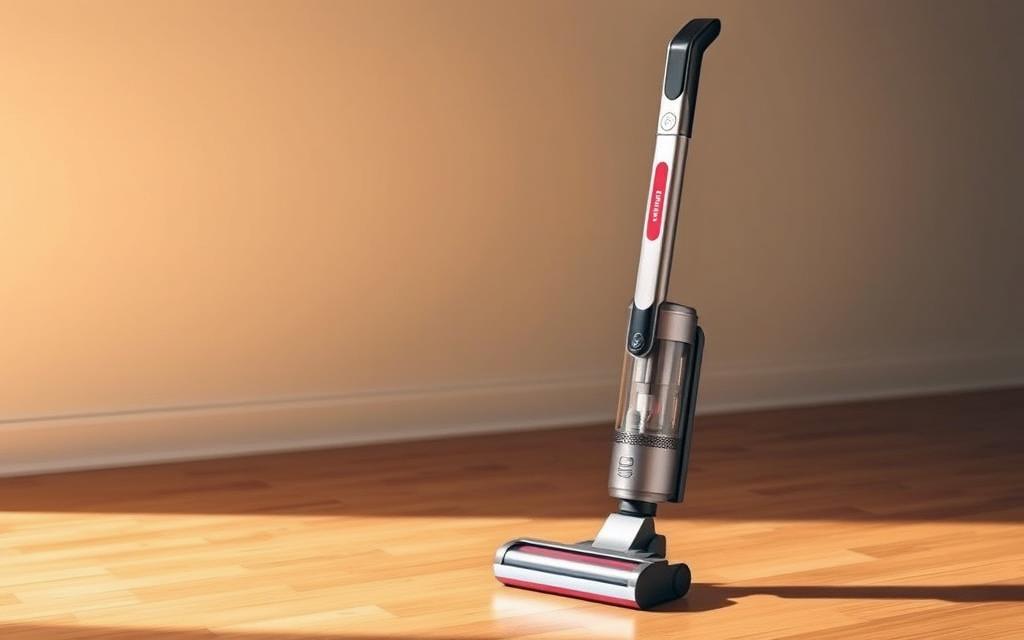
If your vacuum often shuts down from getting too hot or smells like burning, it’s a bad sign. These might mean the motor has major issues. A professional saying the motor is dead is a clear signal you need a new vacuum.
For cordless vacuums, if the battery dies quickly and you can’t replace it, it’s time for an update. Also, if you’re constantly buying parts that are as expensive as a new vacuum, consider buying one.
Newer stick vacuums have better air flow and don’t overheat as much. They also come with technology that stops brush rolls from getting tangled and have easier filters to clean. These improvements solve common vacuum issues quickly.
The latest cordless models have better batteries that last longer and can be replaced. They also come with warranties and error codes that make repairs easier and safer.
| Decision Factor | Repair | Replace |
|---|---|---|
| Thermal shutdowns | Short-term fixes if rare | Choose replace for recurring shutdowns |
| Motor health | Repair if lower cost and part available | Replace if motor is burnt or repairs costly |
| Battery life (cordless) | Replace pack when available and affordable | Replace vacuum when battery non-replaceable or costly |
| Long-term cost | Repair when parts are inexpensive | Replace when cumulative repairs exceed new price |
| Safety and features | Limited by old design | Modern models offer better safety and error diagnostics |
| Service and parts access | Good if brand provides support | Choose brands with easy consumables and strong reviews |
Keeping your stick vacuum in shape is all about regular care. Make sure to empty the dustbin after big clean-ups. It’s also key to clean or switch out filters as suggested by the maker. Get rid of any hair tangled in the brush roll too. These easy actions are the foundation of any good stick vacuum care plan. They help stop many overheating issues before they start.
Don’t forget to look for any blockages. Check on the bearings and belts, and if you have a cordless model, test the battery’s health. Following the manufacturer’s advice for changing parts, like filters every six to twelve months, can prevent overheating. This maintenance also keeps the vacuum’s warranty valid. Doing these checks regularly can save you time and money on repairs.
If your vacuum overheats and turns off, first unplug it or take out the battery. Then, clean any filters and remove blockages before letting it cool down. If you keep having trouble, reach out to customer support from brands like Dyson or a professional repair shop. Following these safety tips helps keep both you and your home out of harm’s way while fixing any issues fast.
Create a maintenance calendar: empty the vacuum after each use, check the brush roll every week, and look at the filter every month. Also, remember to replace the filter deeply every six to twelve months. Sticking to this routine ensures your vacuum works better and lasts longer, with fewer disruptions and cost savings over time.