Our Location
1250 Beacon Street
Brookline, MA 02446
Experiencing a steam iron not producing steam? Learn how to unclog vents and test the heating element with our quick-fix guide.
Did you know nearly 30% of people who use steam irons have problems with them not steaming? This issue can make ironing clothes difficult and less effective. Knowing why your steam iron isn’t working is key to fixing it. In this guide, we’ll look at common reasons why steam irons stop working. This will help you understand how to solve these problems. Whether the issue is blocked vents or something wrong with the water tank, finding the cause is the first step. It will help make sure your steam iron works well again.
Understanding why a steam iron fails to produce steam helps in fixing it. Clogged vents, low water, and a bad heating element often cause issues. Knowing these can help fix your steam iron better.
Clogged vents are a frequent issue. Mineral build-up from hard water can block steam holes. Preventing this requires regular checks and cleaning. Keeping the soleplate clean helps your iron work better and last longer.
Not having enough water is another common problem. Even a slight decrease can affect steam production. Always check and maintain the water level for your iron to work well.
A bad heating element can stop steam creation. Without heat, water can’t turn into steam. If your iron is not heating, checking the heating element is crucial for fixing it.
If your steam iron isn’t putting out steam, check the steam holes for clogs. This problem usually comes from minerals building up over time. By checking the soleplate and cleaning well, you can get back good steam flow. Follow these steps for proper maintenance.
Start by looking closely at the soleplate for scale or residue by the steam holes. Shine a light to spot any hidden blockages. If you see any dark spots or rough areas, minerals might be blocking the steam.
Next, clean the soleplate with a soft cloth and a special iron cleaner. Don’t use anything sharp that could scratch it. Cleaning often stops clogs from happening and keeps your iron working well.
Vinegar works great for removing mineral buildup. Mix it with water, half and half, and add it to the iron’s water tank. Turn on the iron to steam for a few minutes, then empty it. This easy step helps keep your iron in good shape.
The water reservoir is key for a steam iron to work right. If your steam iron stops making steam, you should first look at the reservoir. Here is how to check and solve steam iron problems that come from the water reservoir.
First, take out the water reservoir and check it well. Look for any mineral build-up or debris blocking the water flow. Cleaning the reservoir might fix the steam problems. Use a gentle cloth or brush to clear out blockages. If your steam iron still won’t make steam, go to the next check.
Once you’ve checked for blockages, make sure to put the reservoir back on tight. If it’s not attached right, water won’t get to the heating part. Make sure it snaps back in place properly. This easy step is sometimes missed but very important for fixing steam iron troubles.
Always fill the reservoir with distilled water. Don’t fill it too much, to avoid air bubbles. Make sure it’s put back in the steam iron correctly, so it’s sealed tight. This helps make steam well. These tips should get your steam iron working again.
If your steam iron isn’t working right, the issue might be with the heating element. It’s crucial to know how to check this part. A multimeter will help you see if the heating element is to blame. Then, you can begin to fix your steam iron.
Follow these steps to test the heating element with a multimeter:
Look out for these warning signs:
If the multimeter test shows a problem, or if issues keep happening, it’s time to call in a pro. Some repairs are okay to do yourself, but not all. When in doubt, or without the right tools, ask for professional help. This makes sure your steam iron gets fixed right.
For your steam iron to work its best, it needs proper care. Taking care of it prevents problems like it not heating up and helps it last longer. Keeping it clean, using the correct water, and storing it right makes fixing issues easier.
Regular cleaning keeps your steam iron in top shape. First, make sure it’s unplugged and cool. Then, wipe the soleplate with a damp cloth to get rid of residue. To deeply clean, especially the steam vents, use a soft brush or pin to remove any blockages. This keeps your iron working well and avoids common problems.
It’s smart to use distilled water in your steam iron. Regular tap water can have minerals that block the steam holes and cause issues. Distilled water keeps your iron working smoothly and ensures you can steam iron your clothes easily and effectively.
How you store your steam iron matters a lot for keeping it in good condition. Make sure it’s cool before you put it away. Storing it upright in its own spot prevents damage. Don’t leave water inside to avoid leaks and to make your iron last longer. Following these tips reduces the chances of running into steam iron problems later.
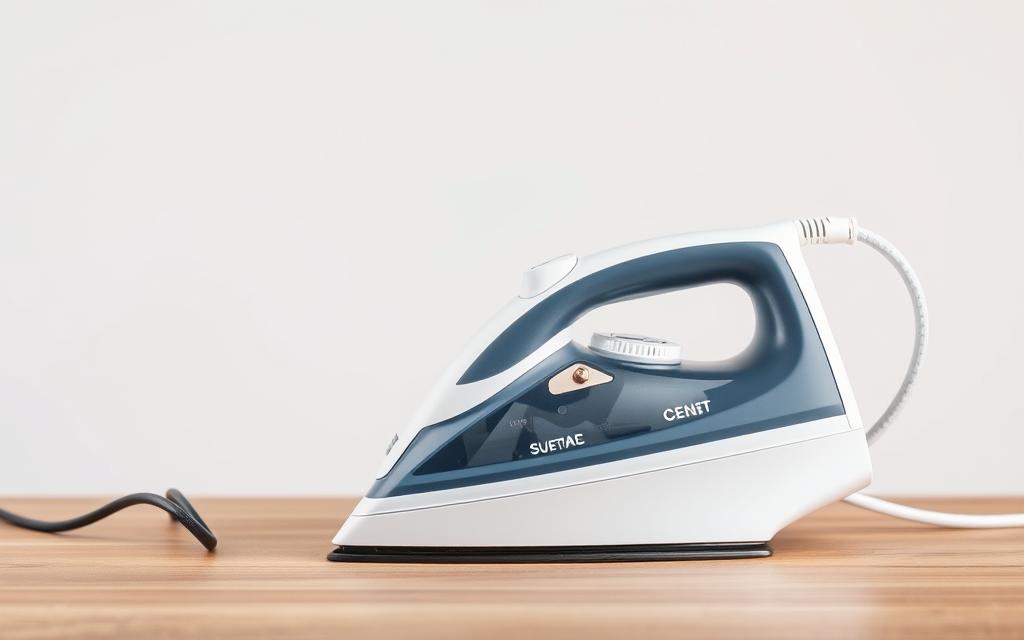
Steam irons may face many problems as they get older. This can reduce their steam output. Knowing about the typical lifespan of a steam iron and the common age-related issues helps in fixing them. Also, new models with advanced technology offer better features that older irons lack. Deciding between fixing an old iron or buying a new one is key for good performance.
Most steam irons last between 5 and 10 years. This depends on how much you use and care for them. Keeping them clean and following troubleshooting tips can help them last longer. If your steam iron has trouble steaming or doesn’t heat up well, it might be time for a new one.
Newer steam iron models have features that fix old problems. They can improve steam generation, clean themselves, and control temperature better. If your current iron isn’t working well, these new features could make ironing easier.
Choosing between fixing or replacing a steam iron with steam issues is tough. Think about how bad the problem is, repair costs, and the iron’s age. If fixing it costs as much as a new one, buying a new iron might be best. Always check your iron’s performance and condition before deciding.
| Factor | Repair | Replacement |
|---|---|---|
| Cost | Potentially lower if minor issues | Higher upfront expense |
| Performance | May improve with repairs | Generally better with new technology |
| Lifespan | Depends on age post-repair | Full new lifespan |
| Convenience | Involves downtime for repairs | Immediate performance post-purchase |
Knowing more signs of a failing steam iron helps greatly. Look out for odd sounds, changing heat, or water leaks. They hint at problems early on, stopping bigger issues later.
Weird sounds from your steam iron mean something’s not right inside. You might hear hissing, popping, or grinding noises. Each kind of sound points to a different issue:
If your steam iron’s heat goes up and down, your ironing won’t be good. A steady temperature is key. If it’s not steady, the cause might be:
Water leaking from your steam iron is a safety issue. It often means something inside isn’t working right. This problem can come from:
Not all problems with steam irons can be solved by yourself. Knowing when to call an expert can save time and avoid more issues. It’s crucial to figure out the issue to decide if you should fix it or get a new one.
Some issues mean you need professional help. These problems include:
When you see these signs, tips for fixing it won’t work. You’ll need someone skilled.
Deciding between fixing or buying a new iron involves looking at costs. Repairs can range from $30 to $100, based on the problem. New steam irons start at around $50. If fixing it costs as much as a new one, better buy a new model.
Choosing a good repair service is essential. To find one, here’s what you can do:
Being well-informed helps you pick the right expert for your iron problems.
Safety comes first when fixing a steam iron. It’s important to follow the right steps to avoid accidents. Keep these safety tips in mind for a safer repair.
Make sure to unplug the steam iron before you start. This step protects you from electrical shock. Wait until the iron is cool and has no power before you begin.
Be careful with water around your iron. Place it in a dry area away from possible spills. It’s best to work on a surface that won’t get hurt by water. This helps keep your iron and workspace safe.
Be gentle when you open the iron to look inside. Wear shoes with rubber soles for extra safety. If you’re not sure about a part, ask for help or check the manual. This way, you stay safe and keep the iron working longer.
Choosing the right steam iron can make ironing much better, especially if you’ve had trouble before. The top steam irons today come with great features for easy and effective use. Look for quick heat-up, adjustable steam, and no-drip systems to stop leaks.
Look for steam irons with new tech, like ceramic or stainless plates for easy gliding. A big water tank means less refilling, and auto shut-off adds safety. These features make the iron work better and last longer, so they’re smart buys.
Brands like Rowenta, Black+Decker, and Philips are well-liked for their dependability. Rowenta irons have strong steam power. Black+Decker is known for good value and ease of use. Philips has advanced steam tech for efficient ironing.
Reading reviews before buying can help, as they show how the iron works in reality. People often mention how long their iron lasts and how easy it is to use, showing the benefits of a quality iron. Considering features, top brands, and user opinions helps you find a great steam iron.